NoiseFit Twist Go Smart Watch
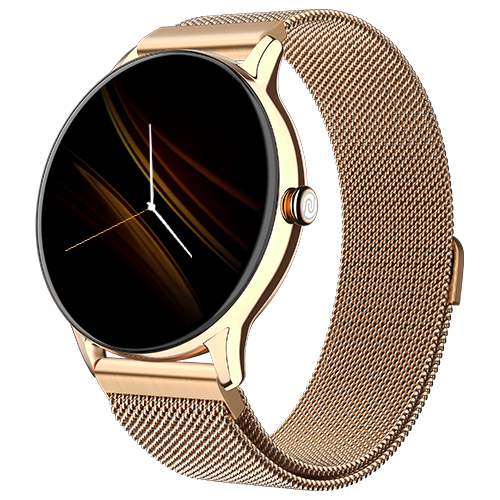
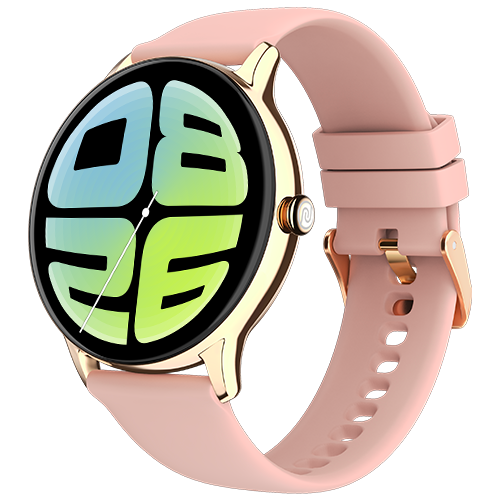
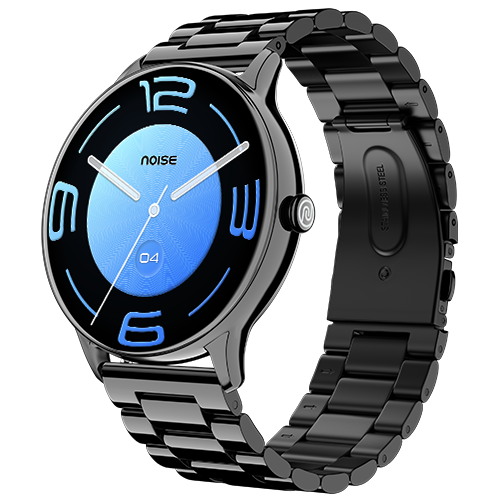
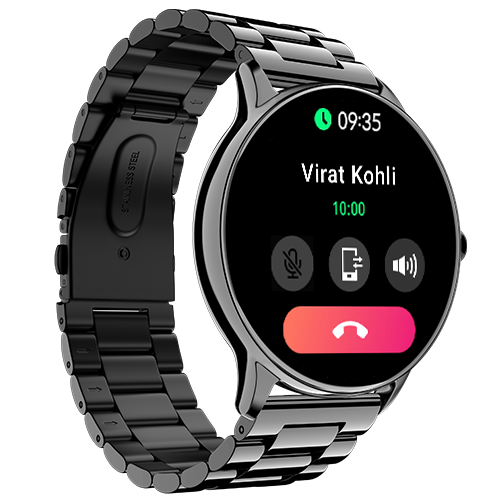
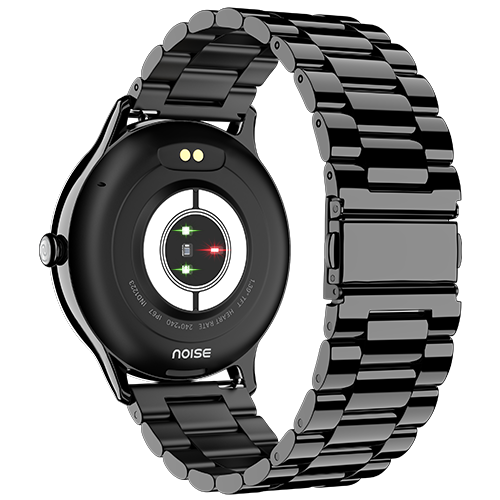
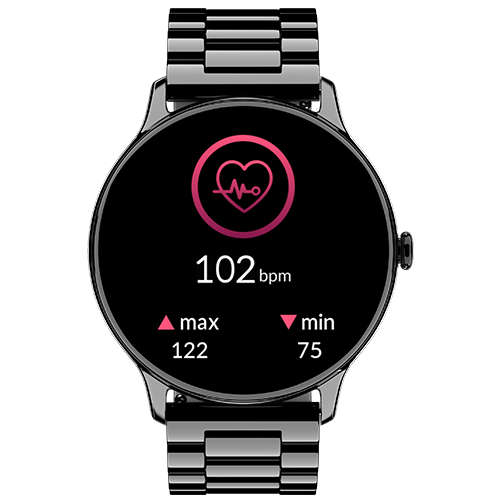
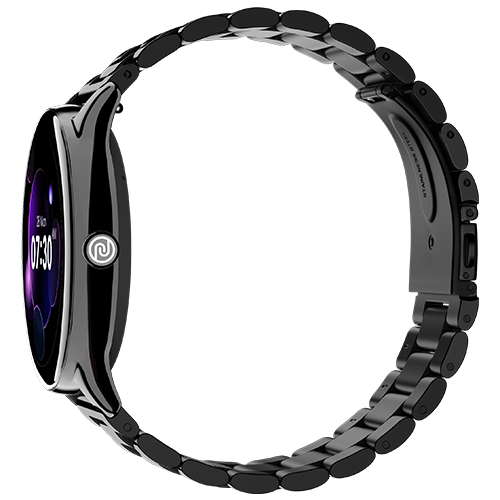
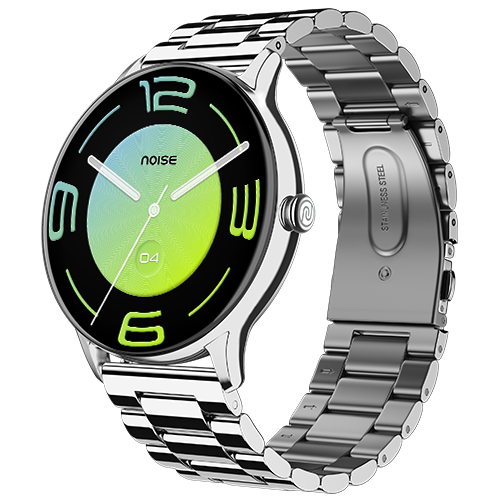
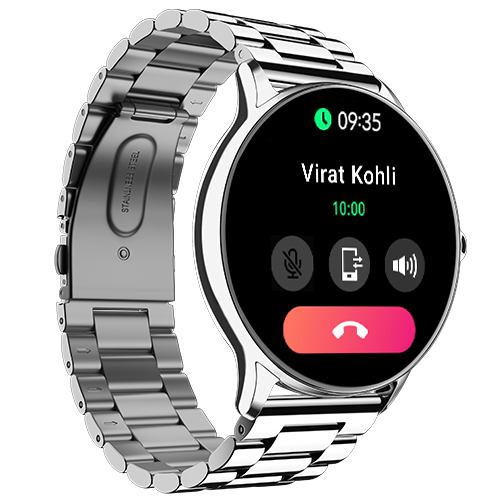
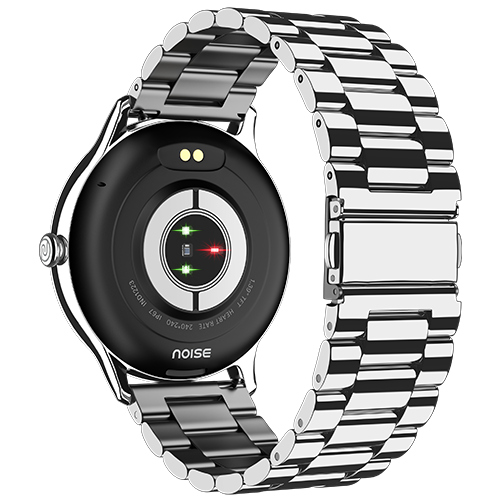
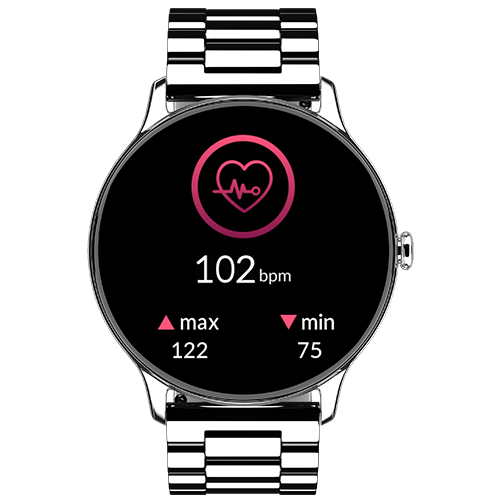
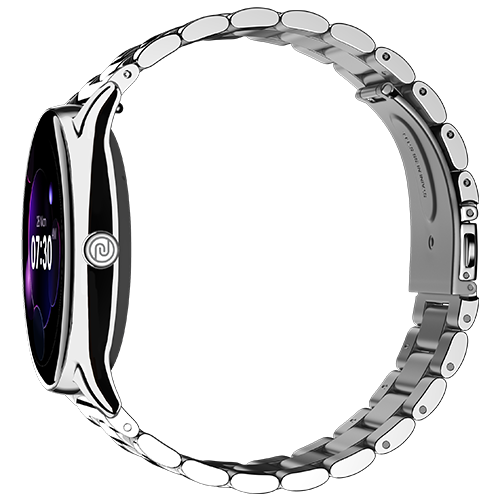
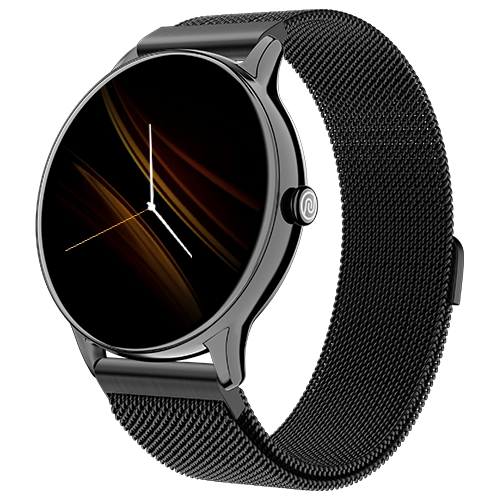
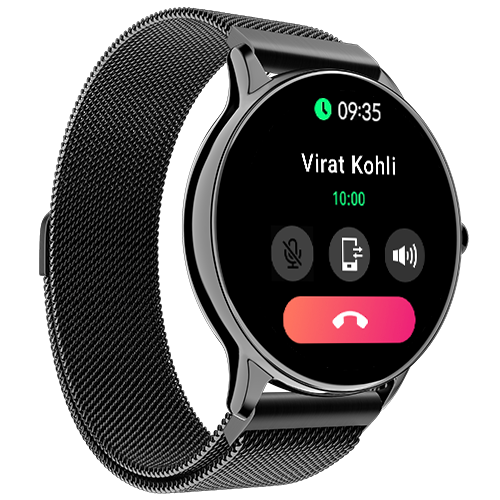
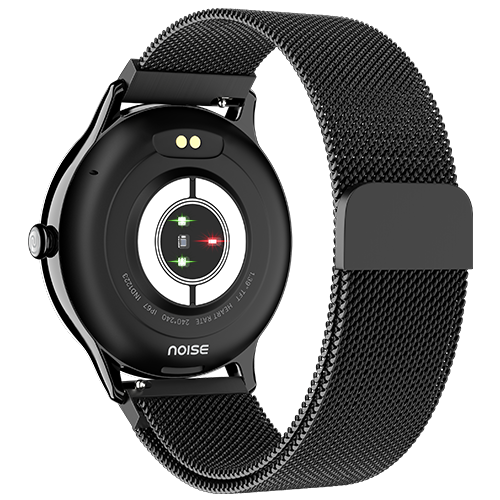
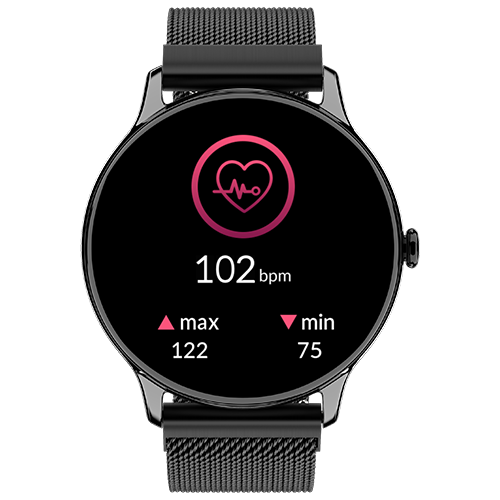
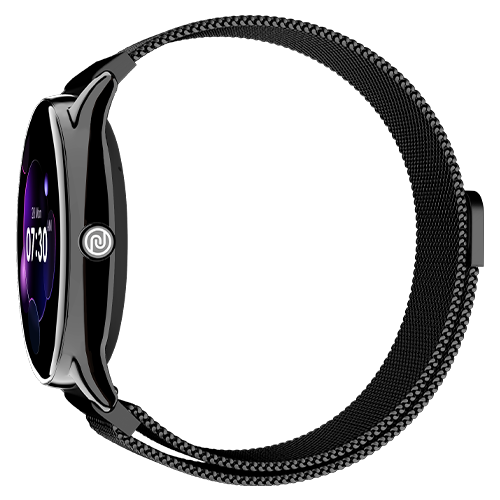
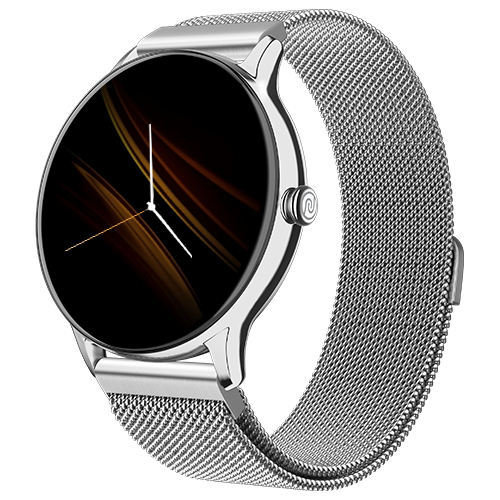
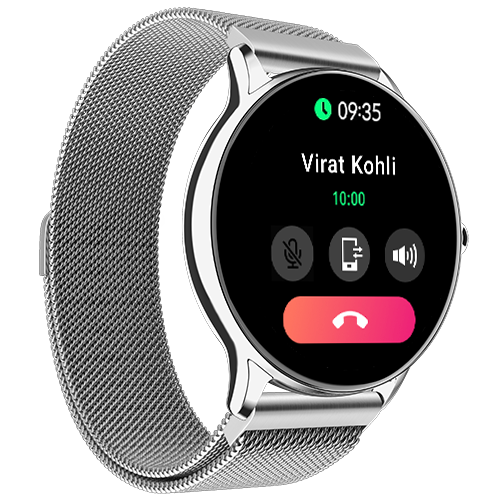
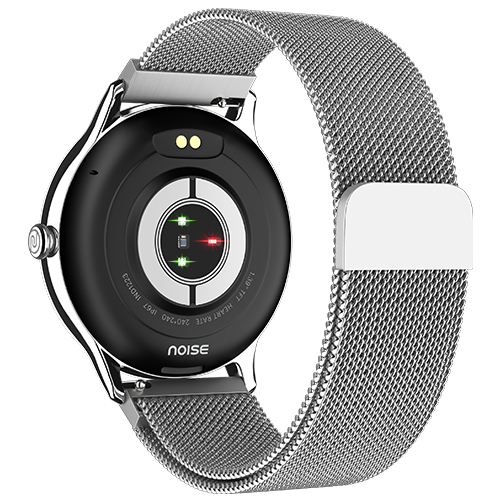
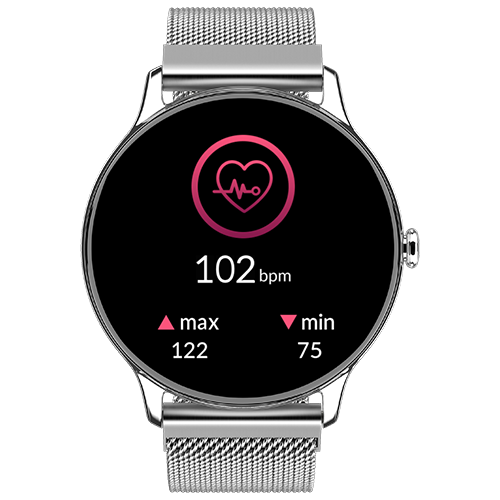
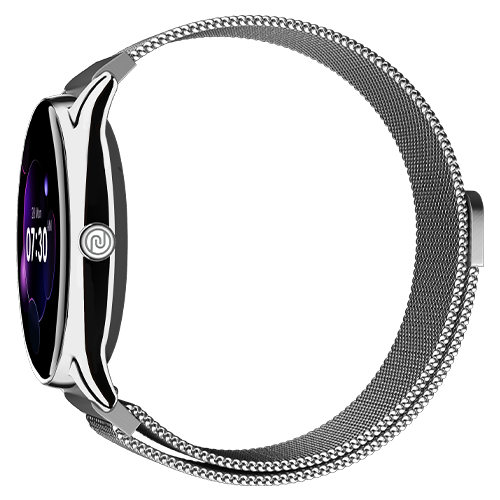
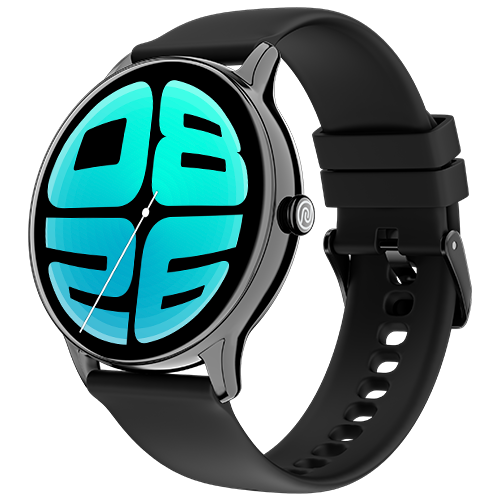
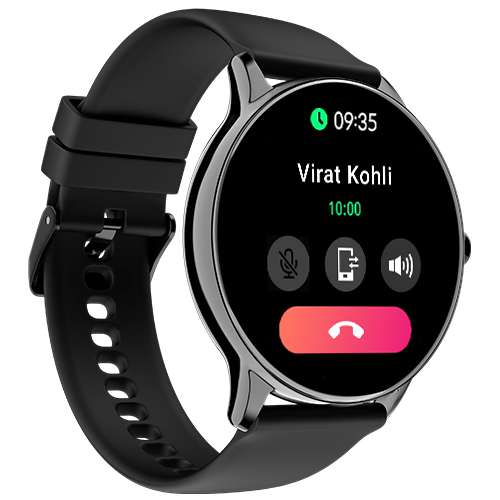
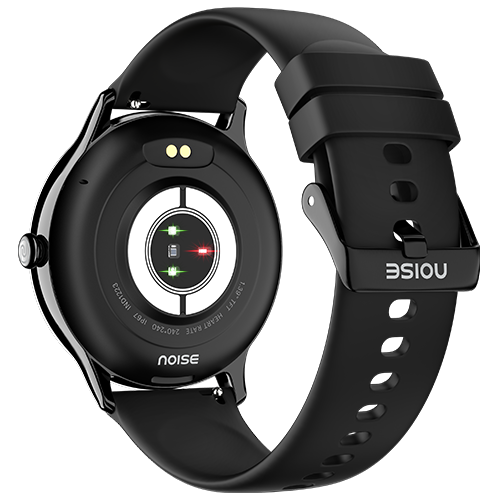
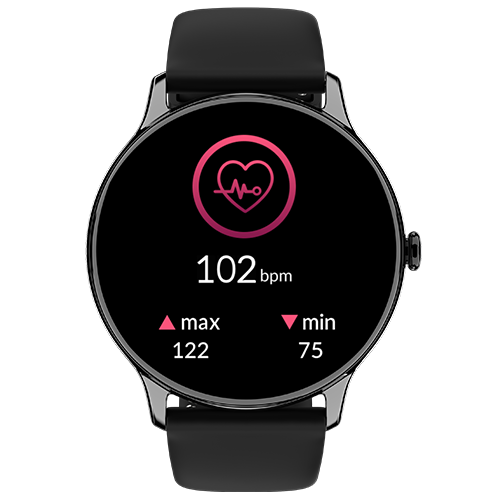
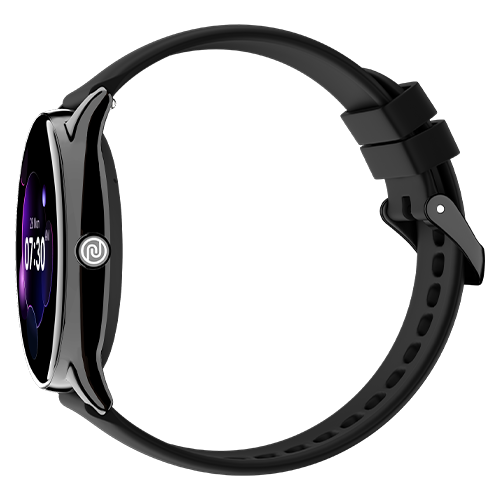
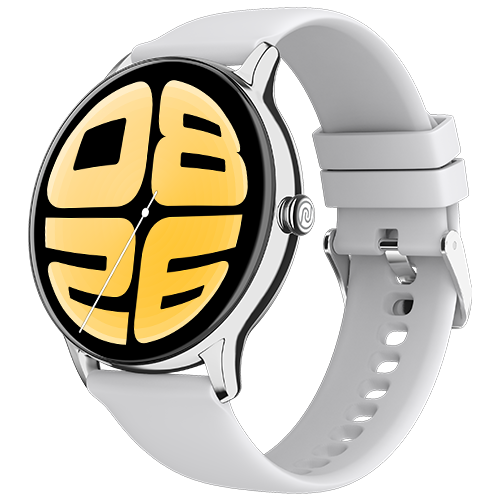
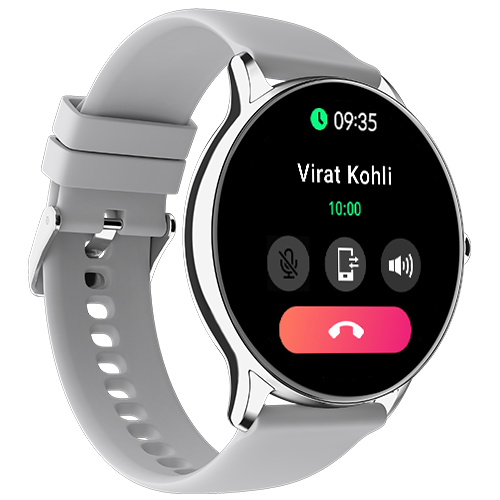
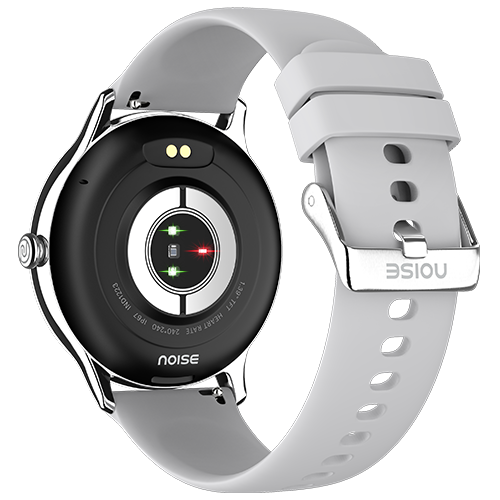
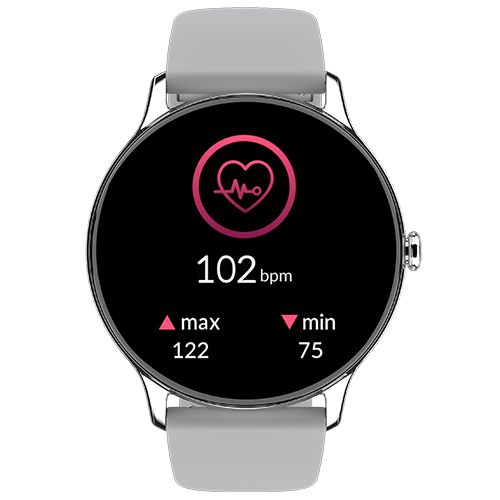
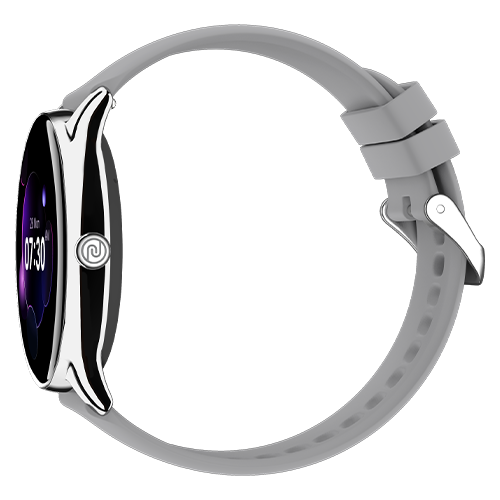
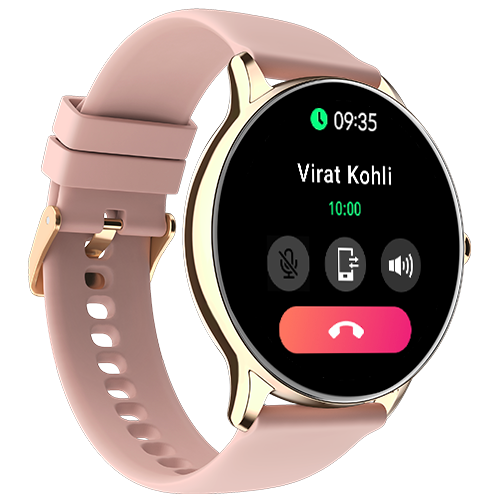
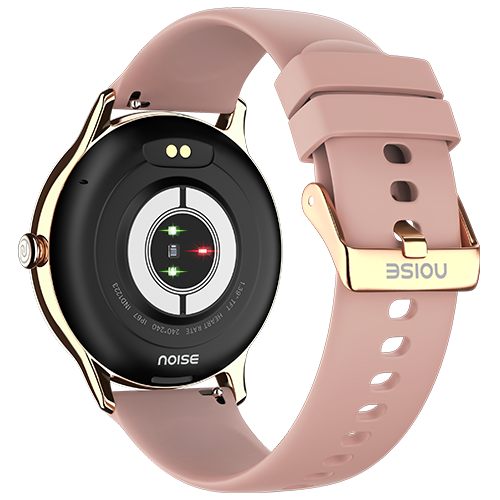
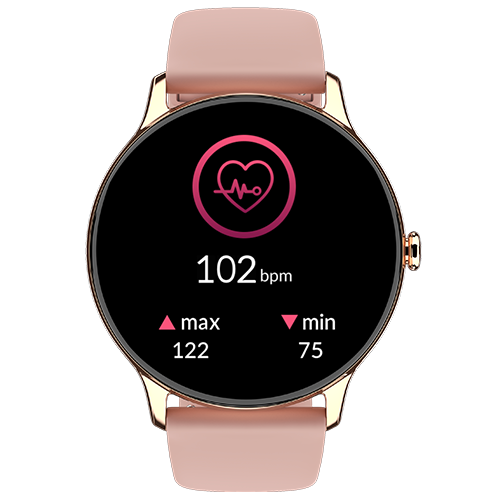
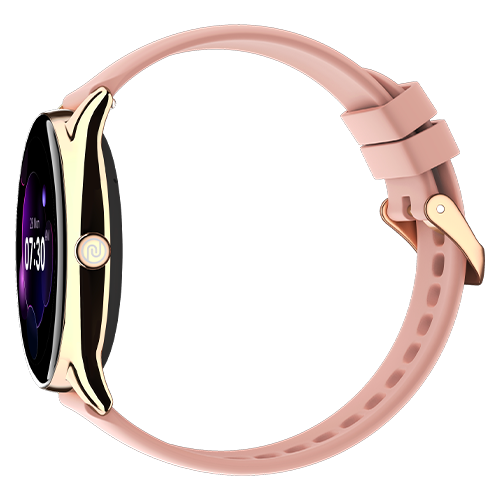
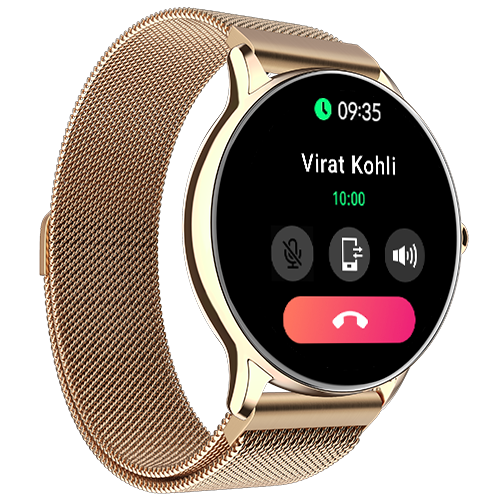
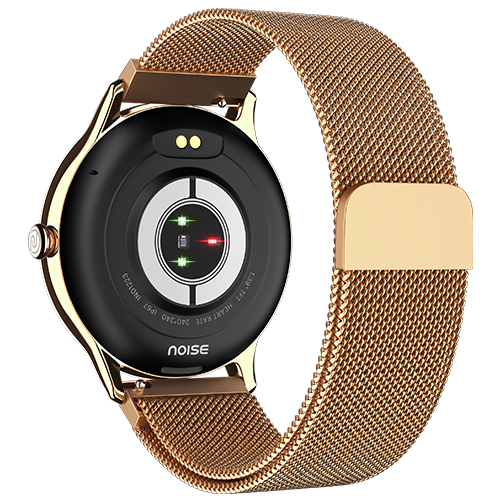
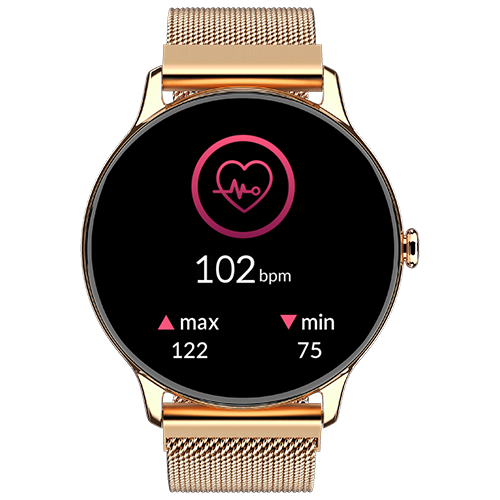
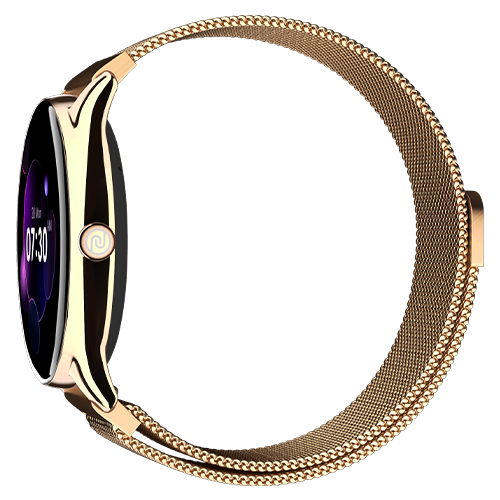
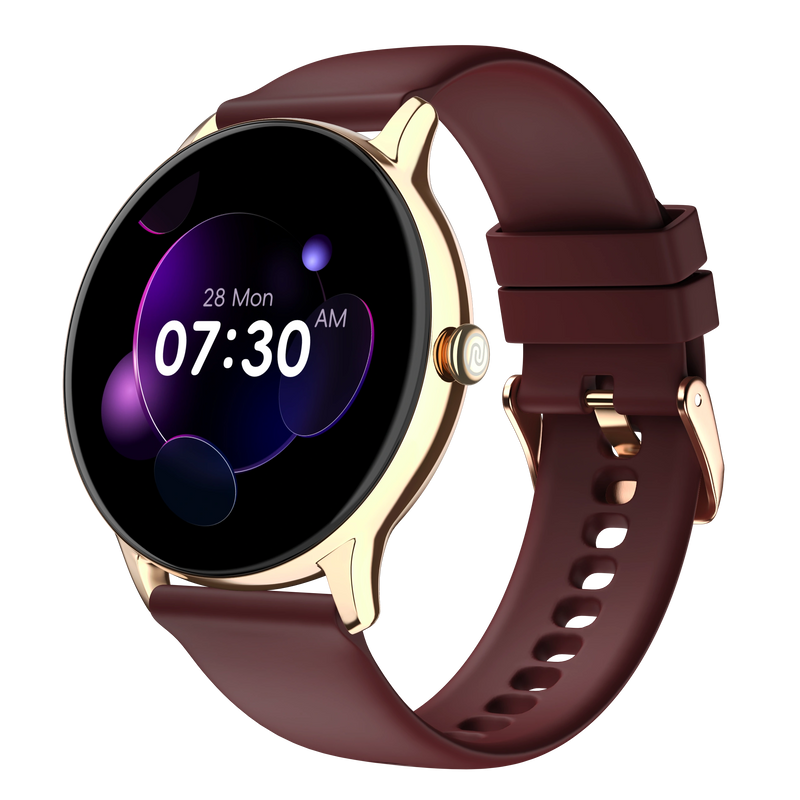
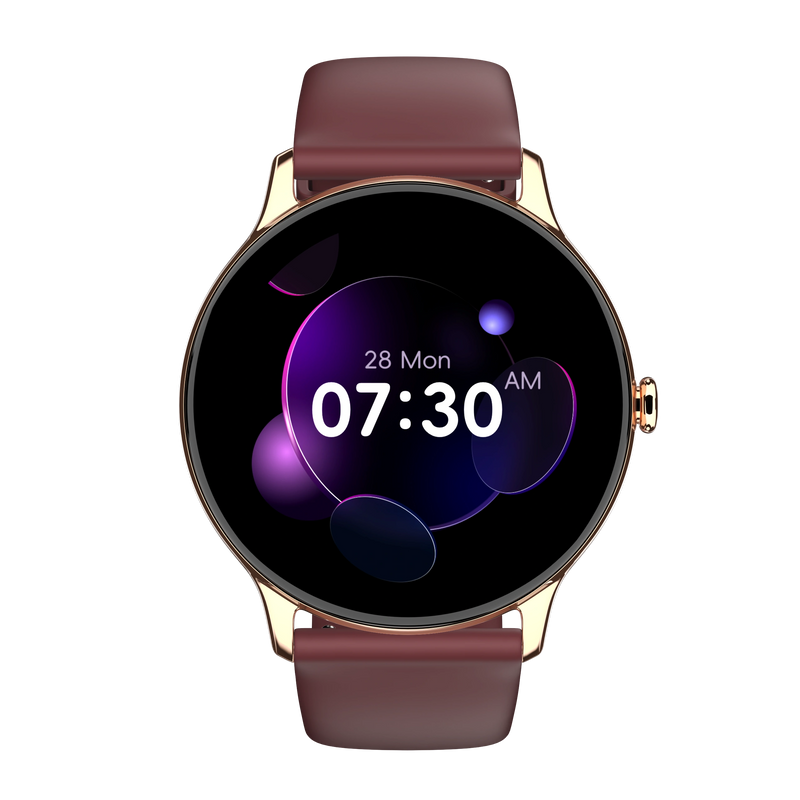
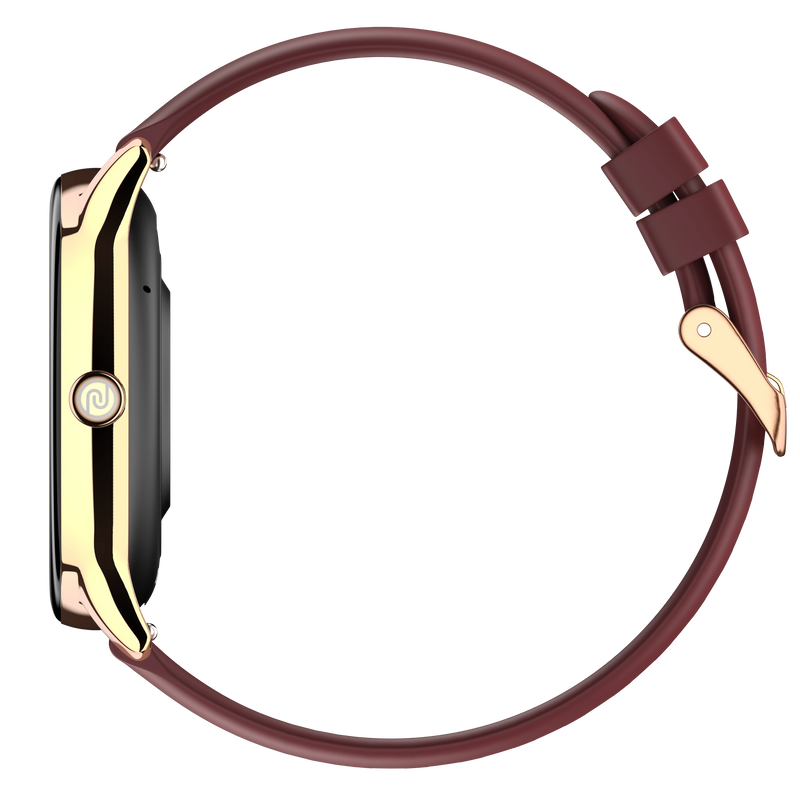
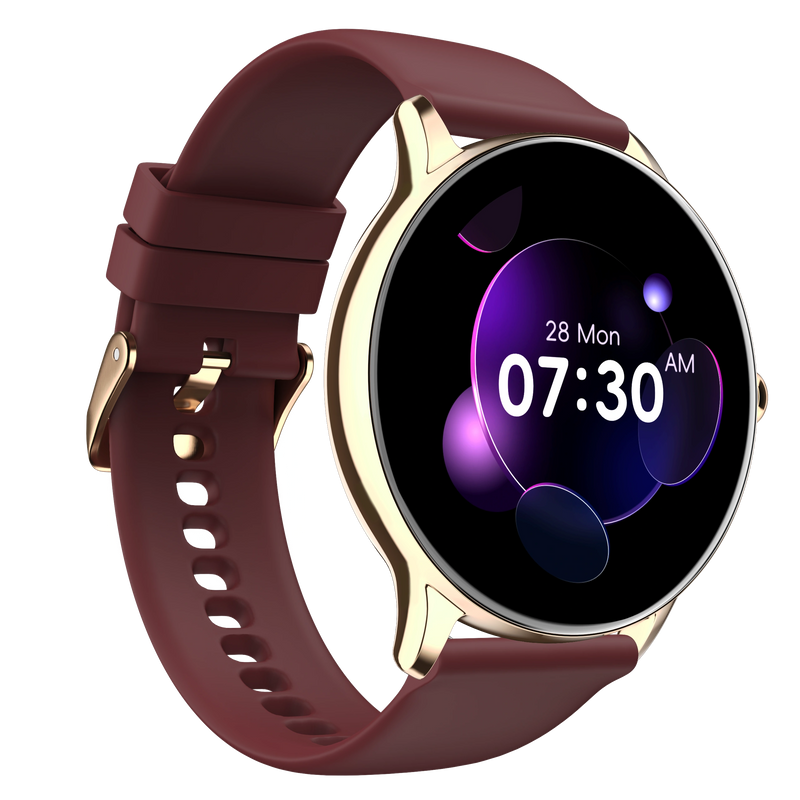
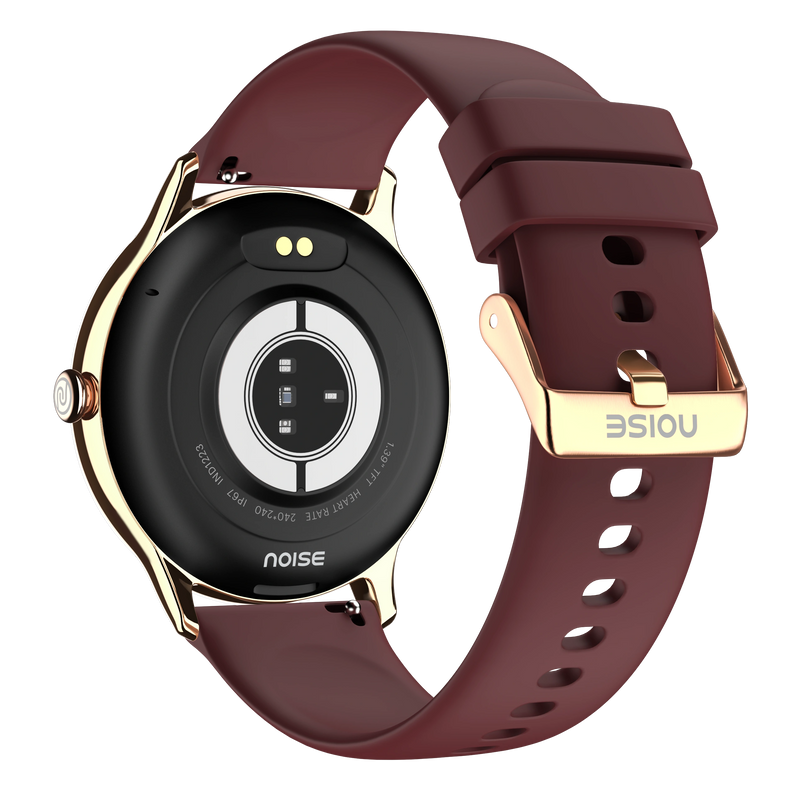
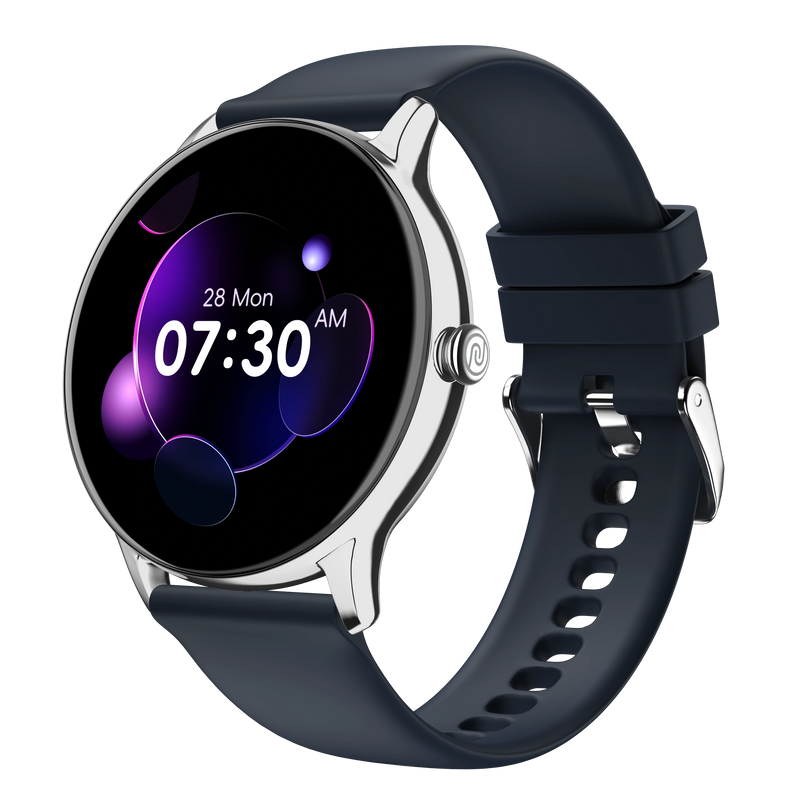
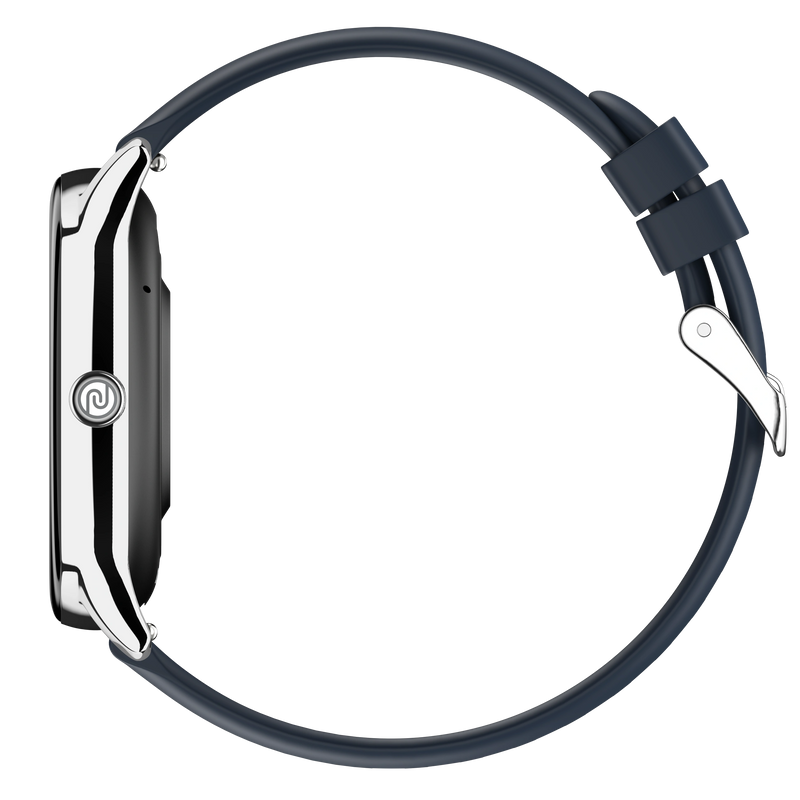
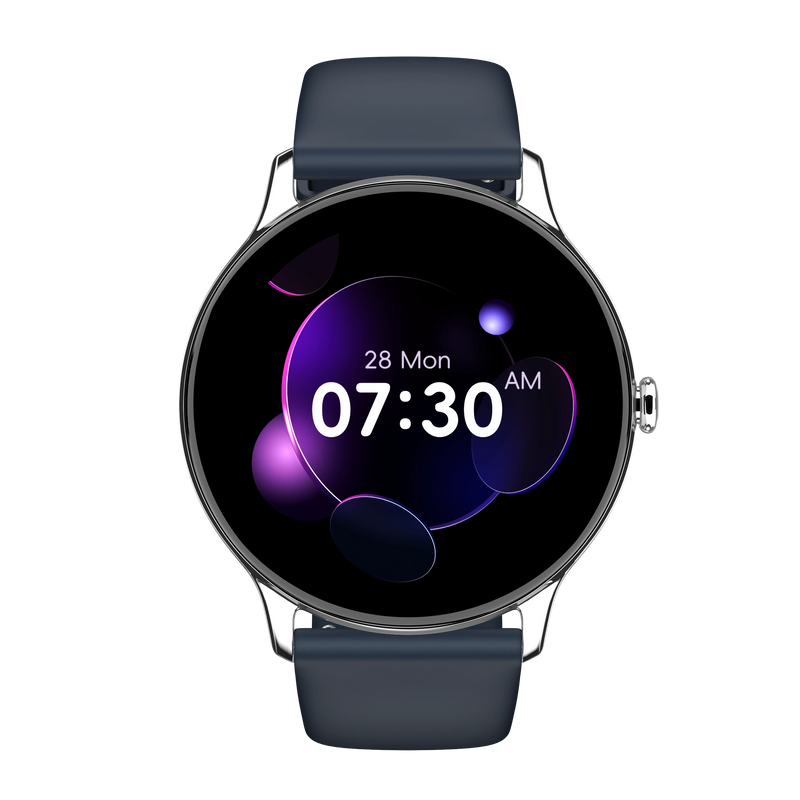
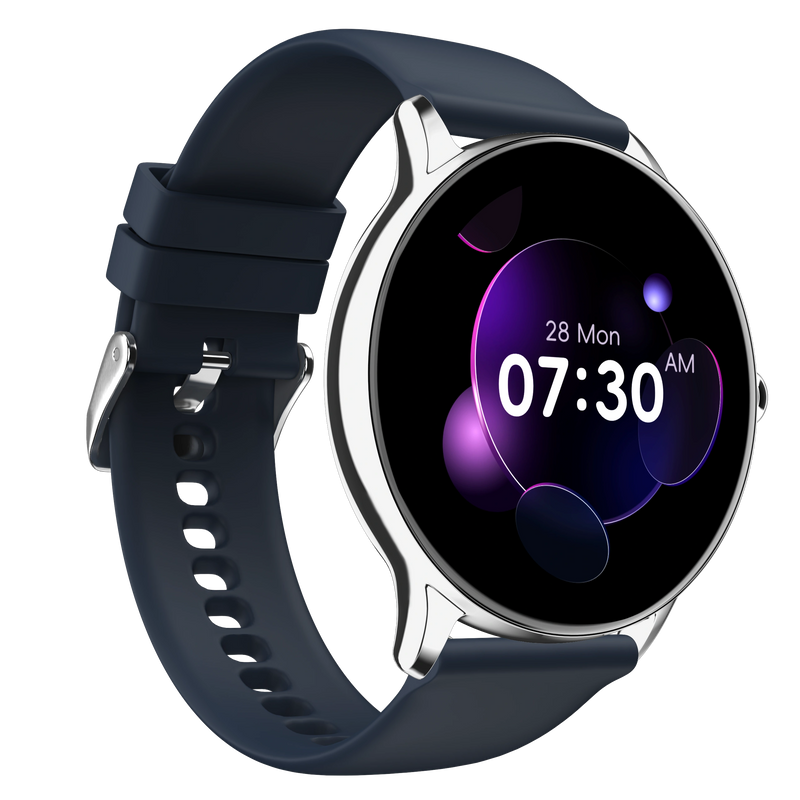
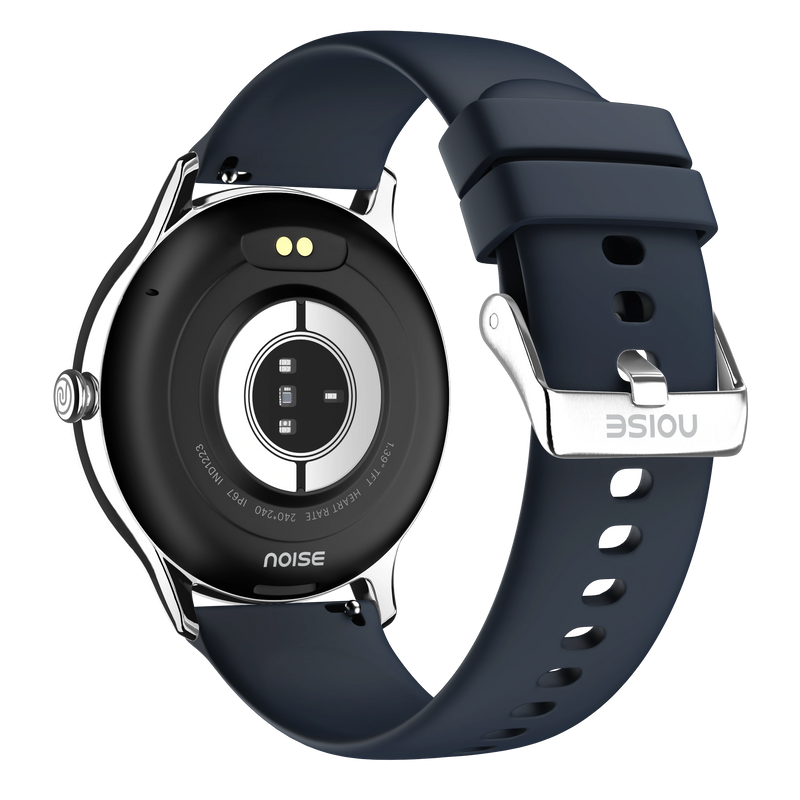
Stay connected and active with the NoiseFit Twist Go Smartwatch – your everyday companion for fitness, communication, and style. Packed with essential features at an accessible price.
Key Features:
• 1.39" TFT Display – Clear and vibrant screen for easy viewing in any light
• Bluetooth Calling – Make and receive calls directly from your wrist
• Voice Assistant – Access Siri or Google Assistant with a simple command
• 100+ Watch Faces – Customize your style daily with endless design options
• 7-Day Battery Life – Extended usage with typical use for worry-free wear
• Health Tracking – Monitor heart rate, SpO2, sleep, steps, and calories
• Multiple Sports Modes – Track workouts with dedicated activity modes
• Smart Notifications – Stay updated with app alerts and messages
• Water Resistant – Designed for everyday wear in various conditions
• Comfortable Straps – Available in silicone and metal strap options
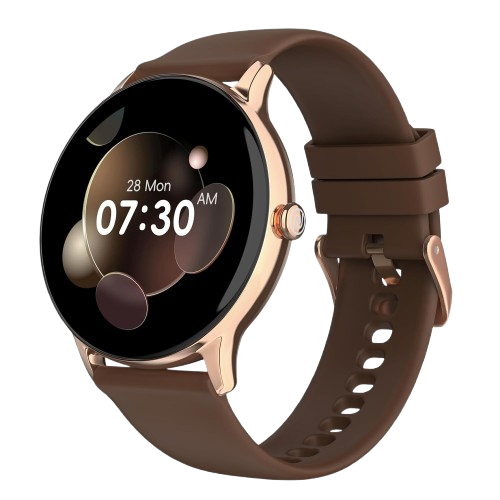
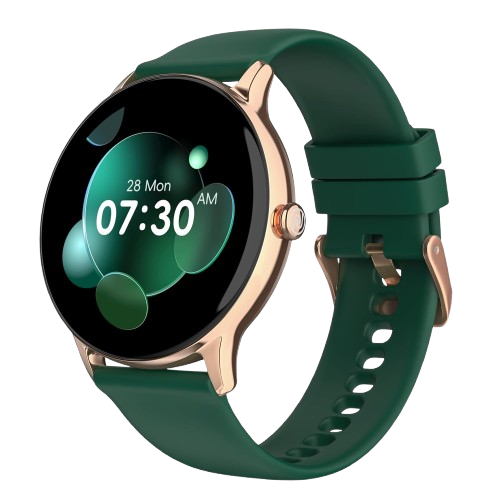
• 7 Color Variants – Gold Link, Rose Pink, Elite Black, Elite Silver, Black Link, Silver Link, Jet Black
Perfect For:
Budget-conscious buyers who want essential smartwatch features without compromise. Ideal for students, first-time smartwatch users, and anyone seeking reliable daily functionality.
Unisex Design:
Suitable for everyone with a comfortable fit and versatile styling options.
Smart features. Everyday value.
Customer Rating
4.89 out of 5.0 stars based on 131 reviews
Quick Specifications
| Bluetooth Version | v5.3 |
|---|---|
| System Requirement | iOS 11.0 + or Android 4.4 + |
| Display technology | TFT |
| Screen Size | 1.39” |
| Heart rate sensor | Yes |
| SpO2 sensor | Yes |
| Typical Usage Time | Up to 7 days |
| Standby Time | Up to 30 days |
| Charging Time | Up to 2 hours |
Specifications
| Country of Origin | China |
|---|---|
| Package Contents | 1 device, 1 charging cable, 1 user manual, warranty card |
| Marketed & Imported By | Nexxbase Marketing Pvt. Ltd, Khasra No-146/25/2/1, Jail Road Badshahpur, Gurugram Haryana-122101 |
Connectivity
| System Requirement | iOS 11.0 + or Android 9.0 + |
|---|---|
| BT | v5.3 |
Display
| Display technology | TFT |
|---|---|
| Size | 1.39” |
| Resolution | 240*240 |
| Cloud-based watch faces | Yes |
Sensors
| Heart rate sensor | Yes |
|---|---|
| Accelerometer | Yes |
| SpO2 sensor | Yes |
Battery & Charging
| Typical Usage Time | Up to 7 days |
|---|---|
| Standby Time | Up to 30 days |
| Charging Time | Up to 2 hours |
| Charging Cable | Yes |
Physical Specification
| Watch Case Material | Metal |
|---|---|
| Strap Size & Material | 22mm (silicone, leather, metal, and mesh metal) |
| Water Resistance Rating | IP67 |
Health Monitoring Features
| Heart rate monitor | |
| SpO2 monitor | |
| Step tracker | |
| Activity history | |
| Sleep monitor | |
| Breathe practice | |
| Stress measurement | |
| Female cycle tracker | |
| Sports modes |
Smart Features
| Caller name information | |
| Call rejection | |
| AI voice assistant | |
| Stopwatch | |
| Timer | |
| Alarm | |
| World clock | |
| Reminder | |
| Weather | |
| Vibration alert | |
| Do not disturb mode | |
| Screen brightness | |
| Functional crown | |
| Wrist-awake |
FAQs
What kind of display does the NoiseFit Twist Go have and how do I adjust it?
The NoiseFit Twist Go has a full-touch 1.39" TFT HD display with a 240x240 resolution and up to 550 nits of brightness, paired with a metal build for a premium feel. To adjust brightness, wake the watch, swipe up from the home screen and select Brightness; note that brightness can only be changed on the watch itself, not through the app.
Is the NoiseFit Twist Go waterproof, and can I swim or shower with it?
The NoiseFit Twist Go carries an IP67 rating, so it resists dust and can withstand submersion up to 1.5 metres for up to 30 minutes, making it fine for splashes and hand-washing. It is not built for swimming or showering, and you should avoid saunas, hot water and ocean water, as heat and salt can damage the device and band. Dry it thoroughly if it gets wet.
What notifications can I receive on the NoiseFit Twist Go?
The NoiseFit Twist Go shows notifications for calls and SMS plus popular apps including WhatsApp, Instagram, Facebook and Messenger, LinkedIn, Twitter, YouTube, Gmail, Outlook, Snapchat, Skype and Telegram. Alerts appear as long as the feature is enabled in the NoiseFit app, the watch and phone are within Bluetooth range, and the app is running in the background.
Does the NoiseFit Twist Go support Bluetooth calling and a voice assistant?
Yes. The NoiseFit Twist Go offers Tru Sync-enabled Bluetooth calling, so you can take and make calls from your wrist with quick access to call logs and a dial pad, using a range of around 18 metres to your phone. It also has an AI voice assistant that can manage calls and reminders and give real-time weather updates by voice.
Can the NoiseFit Twist Go store or play music?
No. The NoiseFit Twist Go cannot store music on the watch, and it cannot stream or play music to a Bluetooth headset either. It does not include remote music control, so playback is managed entirely on your phone. If on-watch music storage or headset playback matters to you, a higher-tier Noise model such as the Pro 6R is the better fit.
What everyday convenience features does the NoiseFit Twist Go include?
The NoiseFit Twist Go includes several handy extras: Find My Phone to locate a misplaced handset (while it is connected over Bluetooth and in range), raise-to-wake gesture control that lights the screen when you lift your wrist, and adjustable vibration so you can set alert intensity to suit your preference. Together these make day-to-day use smoother without adding complexity.
How many watch faces does the NoiseFit Twist Go have and how do I change them?
The NoiseFit Twist Go offers 100+ watch faces. To change one on the watch, touch and hold the home screen and swipe to pick a face. From the NoiseFit app, open Watch Face, choose a design and tap Save. The app also lets you create a custom face, so you can match the look to your style whenever you like.
What sensors does the NoiseFit Twist Go have, and does it include GPS?
The NoiseFit Twist Go is equipped with a heart-rate sensor, an SpO2 (blood-oxygen) sensor and an accelerometer, which together power its heart-rate, blood-oxygen, sleep, step and activity tracking. It does not have built-in GPS, so it relies on your connected phone for any location-based data rather than recording routes independently.
Can I use earbuds and the NoiseFit Twist Go with the same phone at once?
Yes. Your earbuds and the NoiseFit Twist Go can both stay paired to the same smartphone at the same time, since they connect over separate Bluetooth profiles. This means you can listen to music or take calls through your earbuds while the watch continues to show notifications, track your activity and sync data in the background without conflict.
Does the NoiseFit Twist Go show social app alerts, and what if they stop?
Yes, the NoiseFit Twist Go displays push notifications from social apps once they are enabled in the NoiseFit app. If alerts stop arriving, it is almost always Bluetooth: keep the watch and phone in range, ensure notifications are turned on in the app, keep the app running and locked in the background (especially on Android), and check that Do Not Disturb is off on the watch.
Can I see caller information and read messages on the NoiseFit Twist Go?
Yes. Once the watch is synced with the NoiseFit app and within Bluetooth range, incoming caller information appears on screen — just enable the call notification feature in the app. You can also read new messages as they arrive and scroll back through previously received notifications, so you can check who contacted you without picking up your phone.
Which app does the NoiseFit Twist Go use and what can I do in it?
The NoiseFit Twist Go pairs with the NoiseFit app. Inside the app you can manage your profile and device settings under My Device, review your workouts and daily activity from the Daily Report on the Home screen, and set your health goals. The app is also where you change watch faces and adjust the watch's notification and alert preferences.
Can I change the units of measurement on the NoiseFit Twist Go?
The units of measurement are set when you first configure the NoiseFit app and cannot be changed afterwards. Because of this, it is worth choosing your preferred units — such as kilometres or miles — carefully during initial setup, so that your distance, steps and other metrics always display the way you want from the very start.
What is the NoiseFit Twist Go's battery life and how should I charge it?
The NoiseFit Twist Go offers up to 7 days of battery life and up to 30 days on standby, with actual life varying by usage. It charges fully in about 2 hours and shows a '100% Charged' message when done. Use a low-power adapter or a laptop/PC USB port to charge it, and avoid fast chargers, which can damage the watch over the long term.
How do I check and extend the NoiseFit Twist Go's battery life?
To check the battery level, wake the screen and swipe up from the home screen. To make a charge last longer, lower the display brightness and turn off continuous all-day heart-rate monitoring, since both draw meaningful power. Reducing how often notifications wake the screen also helps stretch the battery closer to its full seven days of use.
Which phones is the NoiseFit Twist Go compatible with?
The NoiseFit Twist Go works with both iPhone and Android devices. It supports iPhones running iOS 11.0 and above, and Android phones running version 9.0 and above. As long as your phone meets those requirements and has Bluetooth, you can install the NoiseFit app and pair the watch to sync data and receive notifications.
How do I set up my NoiseFit Twist Go?
Make sure both your phone and the watch are charged and close together. Download the NoiseFit app, open it, and allow Bluetooth and location permissions when prompted. Enter your personal details and health goals, then go to the Add Device page, select the device type and link the watch. Keep it near your phone while it pairs and completes its first sync.
My NoiseFit Twist Go won't set up, sync or alert me — how do I fix it?
Most of these issues come down to Bluetooth. Keep the watch and phone within range and make sure the NoiseFit app is running and locked in the background (especially on Android). Confirm alerts are enabled in the app and that Do Not Disturb is off on the watch. If setup still fails, reset the watch from Settings and pair it again from scratch.
How do I restart, power off or reset my NoiseFit Twist Go?
All three controls sit in the same menu. From the home screen, swipe up to open Settings, then choose Reboot to restart the watch, Power Off to switch it off, or Reset to restore factory settings. Use Reboot for minor glitches; keep Reset as a last resort, since it clears your data and means pairing the watch with the app again.
What health-tracking features does the NoiseFit Twist Go offer?
The NoiseFit Twist Go offers a well-rounded set of wellness tools through its Noise Health Suite: female-health and menstrual-cycle tracking, stress measurement, and an SpO2 sensor that measures the oxygen level in your blood, alongside heart-rate and sleep tracking. Together these give you a daily picture of your wellbeing, viewable on the watch and stored in the NoiseFit app for trends.
How does the NoiseFit Twist Go estimate calories burned?
The NoiseFit Twist Go estimates calories burned by combining your heart rate, the duration of each activity, steps taken and distance covered with the personal details you enter in the app, such as height, weight and age. Keeping those profile details accurate helps the watch produce a more realistic calorie figure for both workouts and everyday movement.
How do I track my heart rate on the NoiseFit Twist Go?
The NoiseFit Twist Go measures heart rate both manually and automatically. For reliable readings, wear the watch snugly with no gap between the sensor and your wrist. Live values appear on the watch, while the NoiseFit app keeps a full history so you can review resting and active heart-rate trends in more detail over time.
Does the NoiseFit Twist Go track sleep and steps on its own?
Yes. The NoiseFit Twist Go has an in-built pedometer for step counting and continues to track your sleep even when it is not connected to your phone. Once you reconnect, that data syncs to the NoiseFit app, and you can also view your daily sleep summary directly on the watch without opening the app.
What is the strap size and how do I replace the NoiseFit Twist Go band?
The NoiseFit Twist Go uses a 22mm strap. To swap it, turn the watch over and use the quick-release mechanism on the underside of the band to detach and attach a new strap. Replacement straps can be purchased from the official Noise website, so you can refresh the look of your watch whenever you like.
How does the NoiseFit Twist Go sync its data?
The NoiseFit Twist Go syncs over Bluetooth with the NoiseFit app. As long as the watch and phone are within range and the app is running in the background, your health and activity data transfers automatically, so your steps, heart rate, sleep and workouts stay up to date in the app without you having to sync manually each time.
Does the NoiseFit Twist Go have a warranty and how do I register it?
Yes. The NoiseFit Twist Go comes with a 1-year manufacturing warranty valid from the date of delivery, covering manufacturing defects. You can register it at the Noise warranty registration page gonoise.com/pages/warranty-registration; keeping your order and purchase details handy will make registration and any future service claims quicker to process.
FAQs
About the product
Does NoiseFit Twist Go have a full touchscreen display?
Yes, NoiseFit Twist Go features a full-touch 1.39” TFT display.
Is NoiseFit Twist Go shockproof?
No, NoiseFit Twist Go is not shockproof. Please avoid dropping it from a height as the watch may get damaged.
Is NoiseFit Twist Go waterproof?
Yes. NoiseFit Twist Go has an IP67 rating. It can go underwater up to a depth of 1.5m for up to 30 minutes. However, avoid saunas, hot water, and ocean water.
Can NoiseFit Twist Go be used while swimming?
You cannot wear it while swimming.
What is the pixel resolution of my NoiseFit Twist Go?
The display resolution of NoiseFit Twist Go is 240*240.
What is the brightness of the NoiseFit Twist Go watch?
It features 550 nits brightness.
What notifications can I get on my NoiseFit Twist Go?
You get notifications for SMS, calls, WhatsApp, LinkedIn, Instagram, FB messenger, Skype, Twitter, Facebook, YouTube, Gmail, Outlook, Snapchat, and Telegram, as long as the notification feature is turned on and your phone and smartwatch are in BT range and sync.
Does NoiseFit Twist Go come with a calling feature?
Yes, NoiseFit Twist Go comes with BT calling.
Does NoiseFit Twist Go have voice assistance?
Yes, NoiseFit Twist Go comes with voice assistance.
Does it have a phone tracking option?
Yes, the NoiseFit Twist Go comes with a phone tracking option.
Does NoiseFit Twist Go have gesture control?
Yes, the NoiseFit Twist Go comes with gesture controls.
Can I reduce the vibration level in my NoiseFit Twist Go?
Yes, you can control the vibration in NoiseFit Twist Go.
Can NoiseFit Twist Go store and play music?
No, the NoiseFit Twist Go cannot store and play music.
Can I use my earbuds and my NoiseFit Twist Go at a time with the same smartphone?
Yes, both earbuds and NoiseFit Twist Go can be paired with your smartphone at the same time.
What is the BT range of NoiseFit Twist Go?
The BT range of NoiseFit Twist Go is 18 meters.
Can it play music to a BT headset?
No, NoiseFit Twist Go cannot play music on a BT headset.
How many watch faces does NoiseFit Twist Go have?
NoiseFit Twist Go comes with 100+ watch faces which you can access and customise via the NoiseFit app.
Can we change the watch face?
Yes, you can change the watch faces. From the watch, touch and hold the home screen. Swipe and choose from the watch faces. From the app, go to the watch face, select the watch face of your choice, and tap Save to change the watch face. You can even customise your watch face from the app.
How do I increase the brightness of my NoiseFit Twist Go?
You can set the brightness from the smartwatch only. Turn on the watch screen, swipe up from the home screen, select Brightness, and adjust it to your liking.
What sensors does the NoiseFit Twist Go have?
NoiseFit Twist Go features an HR sensor, Accelerometer, and SpO2 sensor.
Does NoiseFit Twist Go have GPS?
No, NoiseFit Twist Go does not have GPS.
What are the accessories included with NoiseFit Twist Go?
The NoiseFit Twist Go comes with a user manual and a magnetic charger.
Getting started
How do I set up my NoiseFit Twist Go device?
Before setting up make sure that your smartphone and NoiseFit Twist Go are charged and next to each other. Connect the charging cable to turn on the smartwatch. Download the NoiseFit app on your smartphone. Open the NoiseFit app and turn the BT and GPS positioning on. Feed in your personal information and health goals in the app. Go to the add device page in the app, select the device type, and link the watch.
Why won't my NoiseFit Twist Go device sync?
This may be because it lost BT connectivity with your smartphone. For a stable connection, please ensure that the NoiseFit app is running and locked in the background.
Why can't I set up my NoiseFit Twist Go device?
If you are facing trouble setting up your NoiseFit Twist Go device, reset the smartwatch and try again.
Why didn't my NoiseFit Twist Go device alert me?
Possibly due to BT connectivity loss. Ensure that your watch & phone are within BT range with alerts turned on in the App, which is kept running & locked in the background (Android). Also, check if DND is turned off or not.
How do I restart my NoiseFit Twist Go?
You can restart your NoiseFit Twist Go smartwatch by following these steps.
Turn on the watch screen. Swipe up to go to Settings. Select Reboot and choose to restart.
How do I turn off my NoiseFit Twist Go?
Turn on the watch screen. Swipe up to go to Settings. Select Power Off and choose to power off.
How do I reset my NoiseFit Twist Go?
You can reset NoiseFit Twist Go from the watch. From the home screen, swipe up to go to Settings. Select Reset and choose to reset.
Battery and charging
What is the battery life and standby time of NoiseFit Twist Go?
The smartwatch offers up to 7-day battery life & 30-day standby.
Standby time is the maximum tested time that a single charge will last when the smartwatch is used as a regular watch.
How do I know when my device is charged?
NoiseFit Twist Go takes approximately 2 hours to charge completely. It will display a 100% charged message once the battery is fully charged.
How do I check the battery level on my NoiseFit Twist Go device?
Turn on the screen and swipe up to check the battery level on your NoiseFit Twist Go.
How can I extend my NoiseFit Twist Go device's battery life?
You can extend the battery life of your device by turning down the brightness level and turning off the All-day Heart Rate measurement feature.
Which adapter should I use to charge my NoiseFit Twist Go?
Please use a low power adapter or you can plug in the charging cable into a laptop or PC USB port. Do not use a fast-charging adapter as it may damage the smartwatch in the long run.
App
What's the name of the app?
The name of the app is the NoiseFit app.
How do I manage my NoiseFit profile?
You can manage your NoiseFit profile from the app. Open the App, go to My Device, and choose Device Settings to manage your profile.
How do I track my workouts with my NoiseFit app?
You can track your workout(s) on the Home section of the app. Open the NoiseFit app. Go to the Daily Report section of the Home page and get your daily report.
How do I change the units of measurement on my NoiseFit Twist Go device?
You cannot change the units of measurement on your NoiseFit app once set.
Syncing
How does NoiseFit Twist Go sync data?
NoiseFit Twist Go syncs data over a BT connection with the NoiseFit app.
Alerts and notifications
Does NoiseFit Twist Go show notifications from social networking apps?
NoiseFit Twist Go shows push notifications from social networking apps that have been synced with the NoiseFit app. Please ensure that the NoiseFit app is running and locked in the background (Android).
Why isn't NoiseFit Twist Go receiving notifications from my phone?
Possibly due to BT connectivity loss. Ensure that your watch & phone are within BT range with the alerts turned on in the app, and the app is kept running & locked in the background (Android). Also, ensure that the DND in the smartwatch is turned off.
Can we see messages and caller info from my phone on the smartwatch?
Yes, you can see messages and caller information on your smartwatch as long as the watch is synced with the NoiseFit app and is within BT range.
How can we see the caller information?
Turn on the call notification feature on the NoiseFit app to see incoming call information.
Can I read incoming messages on my NoiseFit Twist Go or will I only receive message notifications?
You will be notified of new messages on your NoiseFit Twist Go once it is connected with the NoiseFit app. You can read the message at the time you receive a notification. You also have the option to see previously received notifications.
Health features
Does NoiseFit Twist Go have female health tracking?
Yes, NoiseFit Twist Go offers female health tracking.
Does NoiseFit Twist Go have a stress tracker?
Yes, NoiseFit Twist Go comes with stress measurement.
What is the function of SpO2?
SpO2 monitor measures the oxygen level in your blood.
How does NoiseFit Twist Go estimate how many calories I've burned?
NoiseFit Twist Go estimates the number of calories burned based on your heart rate, activity duration, steps taken, distance covered, height, weight, and age.
How do I track my heart rate with my NoiseFit Twist Go?
NoiseFit Twist Go can detect heart rate both manually or automatically. You can track your heart rate with the NoiseFit app.
Why don't I see my heart rate on my NoiseFit Twist Go?
You can see your heart rate on your NoiseFit Twist Go smartwatch provided you are wearing it on your wrist and there is no space between the watch and your wrist. For detailed analysis, you can check the NoiseFit app.
Does this watch synchronize sleep if the app is not connected?
Yes, NoiseFit Twist Go will measure your sleep even if not connected to the app. The data will be synced to the app, once connected. You can also view your daily sleep data on your smartwatch.
Does it have a Pedometer?
Yes, NoiseFit Twist Go comes with an in-built pedometer.
Compatibility
Is NoiseFit Twist Go compatible with the iPhone?
NoiseFit Twist Go is compatible with all iPhones running on iOS 11.0 and above.
Is NoiseFit Twist Go compatible with Android?
NoiseFit Twist Go is compatible with all Android phones running on Android version 9.0 and above.
Straps
What is the NoiseFit Twist Go strap size?
The width of the strap is 22 mm.
How do I change the wristband on my NoiseFit Twist Go device?
The mechanism to remove and replace the band can be found on the underside of the watchband.
From where can I purchase a replacement strap?
You can purchase replacement straps from our official website.
Warranty Registration
Is there a warranty for this product?
Yes, there is a 1-year manufacturing warranty from the date of delivery of the product.
Where do I register for the product warranty?
You can register your warranty here: (https://www.gonoise.com/pages/warranty-registration).
How do I set up my NoiseFit Twist Go device?Before setting up make sure that your smartphone and NoiseFit Twist Go are charged and next to each other. Connect the charging cable to turn on the smartwatch. Download the NoiseFit app on your smartphone. Open the NoiseFit app and turn the BT and GPS positioning on. Feed in your personal information and health goals in the app. Go to the add device page in the app, select the device type, and link the watch. Why won't my NoiseFit Twist Go device sync?This may be because it lost BT connectivity with your smartphone. For a stable connection, please ensure that the NoiseFit app is running and locked in the background.Why can't I set up my NoiseFit Twist Go device?If you are facing trouble setting up your NoiseFit Twist Go device, reset the smartwatch and try again. Why didn't my NoiseFit Twist Go device alert me?Possibly due to BT connectivity loss. Ensure that your watch & phone are within BT range with alerts turned on in the App, which is kept running & locked in the background (Android). Also, check if DND is turned off or not.How do I restart my NoiseFit Twist Go?You can restart your NoiseFit Twist Go smartwatch by following these steps.Turn on the watch screen. Swipe up to go to Settings. Select Reboot and choose to restart.How do I turn off my NoiseFit Twist Go?Turn on the watch screen. Swipe up to go to Settings. Select Power Off and choose to power off.How do I reset my NoiseFit Twist Go?You can reset NoiseFit Twist Go from the watch. From the home screen, swipe up to go to Settings. Select Reset and choose to reset.
,What is the battery life and standby time of NoiseFit Twist Go?The smartwatch offers up to 7-day battery life & 30-day standby. Standby time is the maximum tested time that a single charge will last when the smartwatch is used as a regular watch.How do I know when my device is charged?NoiseFit Twist Go takes approximately 2 hours to charge completely. It will display a 100% charged message once the battery is fully charged.How do I check the battery level on my NoiseFit Twist Go device?Turn on the screen and swipe up to check the battery level on your NoiseFit Twist Go.How can I extend my NoiseFit Twist Go device's battery life?You can extend the battery life of your device by turning down the brightness level and turning off the All-day Heart Rate measurement feature.Which adapter should I use to charge my NoiseFit Twist Go?Please use a low power adapter or you can plug in the charging cable into a laptop or PC USB port. Do not use a fast-charging adapter as it may damage the smartwatch in the long run.
,What's the name of the app?The name of the app is the NoiseFit app.How do I manage my NoiseFit profile?You can manage your NoiseFit profile from the app. Open the App, go to My Device, and choose Device Settings to manage your profile.How do I track my workouts with my NoiseFit app?You can track your workout(s) on the Home section of the app. Open the NoiseFit app. Go to the Daily Report section of the Home page and get your daily report.How do I change the units of measurement on my NoiseFit Twist Go device?You cannot change the units of measurement on your NoiseFit app once set.
,How does NoiseFit Twist Go sync data?NoiseFit Twist Go syncs data over a BT connection with the NoiseFit app.
,Does NoiseFit Twist Go show notifications from social networking apps?NoiseFit Twist Go shows push notifications from social networking apps that have been synced with the NoiseFit app. Please ensure that the NoiseFit app is running and locked in the background (Android).Why isn't NoiseFit Twist Go receiving notifications from my phone?Possibly due to BT connectivity loss. Ensure that your watch & phone are within BT range with the alerts turned on in the app, and the app is kept running & locked in the background (Android). Also, ensure that the DND in the smartwatch is turned off. Can we see messages and caller info from my phone on the smartwatch?Yes, you can see messages and caller information on your smartwatch as long as the watch is synced with the NoiseFit app and is within BT range.How can we see the caller information?Turn on the call notification feature on the NoiseFit app to see incoming call information.Can I read incoming messages on my NoiseFit Twist Go or will I only receive message notifications?You will be notified of new messages on your NoiseFit Twist Go once it is connected with the NoiseFit app. You can read the message at the time you receive a notification. You also have the option to see previously received notifications.
,Does NoiseFit Twist Go have female health tracking?Yes, NoiseFit Twist Go offers female health tracking.Does NoiseFit Twist Go have a stress tracker?Yes, NoiseFit Twist Go comes with stress measurement. What is the function of SpO2?SpO2 monitor measures the oxygen level in your blood.How does NoiseFit Twist Go estimate how many calories I've burned?NoiseFit Twist Go estimates the number of calories burned based on your heart rate, activity duration, steps taken, distance covered, height, weight, and age.How do I track my heart rate with my NoiseFit Twist Go?NoiseFit Twist Go can detect heart rate both manually or automatically. You can track your heart rate with the NoiseFit app.Why don't I see my heart rate on my NoiseFit Twist Go?You can see your heart rate on your NoiseFit Twist Go smartwatch provided you are wearing it on your wrist and there is no space between the watch and your wrist. For detailed analysis, you can check the NoiseFit app.Does this watch synchronize sleep if the app is not connected?Yes, NoiseFit Twist Go will measure your sleep even if not connected to the app. The data will be synced to the app, once connected. You can also view your daily sleep data on your smartwatch.Does it have a Pedometer?Yes, NoiseFit Twist Go comes with an in-built pedometer.Compatibility Is NoiseFit Twist Go compatible with the iPhone?NoiseFit Twist Go is compatible with all iPhones running on iOS 11.0 and above.Is NoiseFit Twist Go compatible with Android?NoiseFit Twist Go is compatible with all Android phones running on Android version 9.0 and above.
,What is the NoiseFit Twist Go strap size?The width of the strap is 22 mm. How do I change the wristband on my NoiseFit Twist Go device?The mechanism to remove and replace the band can be found on the underside of the watchband.From where can I purchase a replacement strap?You can purchase replacement straps from our official website.
,Is there a warranty for this product?Yes, there is a 1-year manufacturing warranty from the date of delivery of the product.Where do I register for the product warranty?You can register your warranty here: (https://www.gonoise.com/pages/warranty-registration).
