Noise Master Buds Truly Wireless Earbuds - Limited Edition
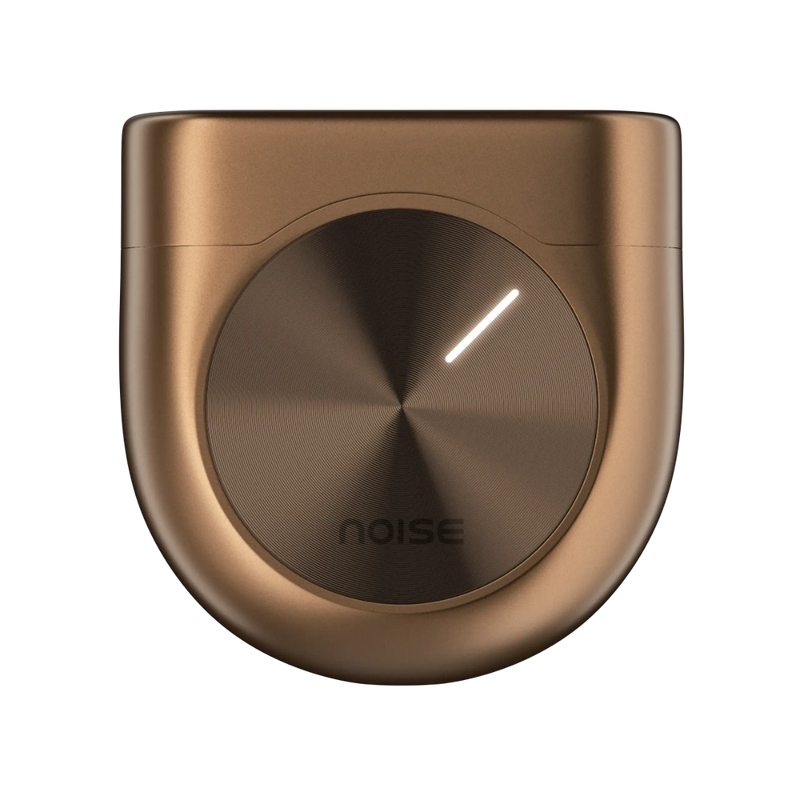
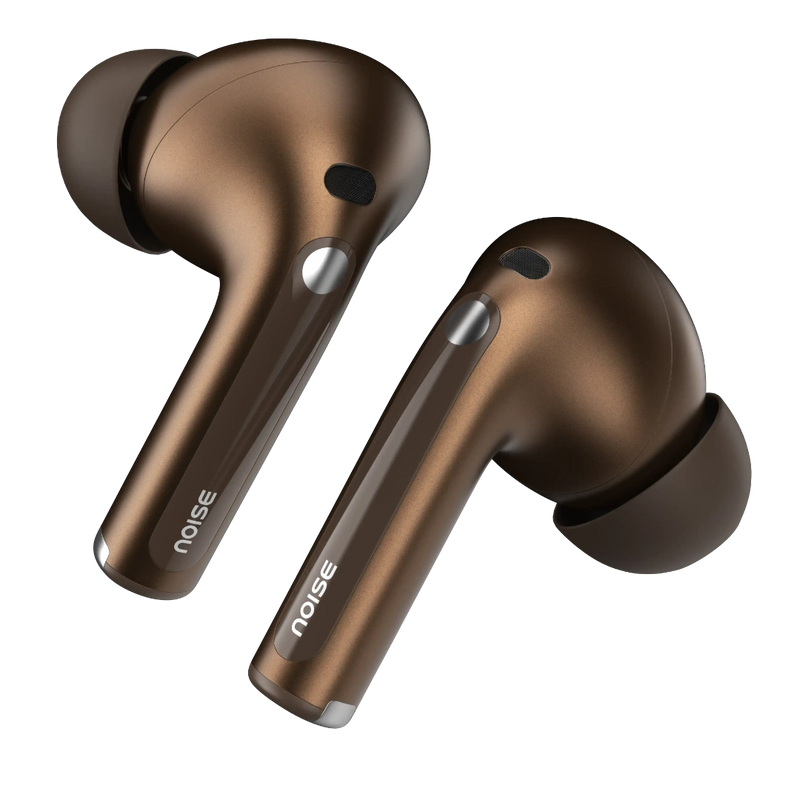
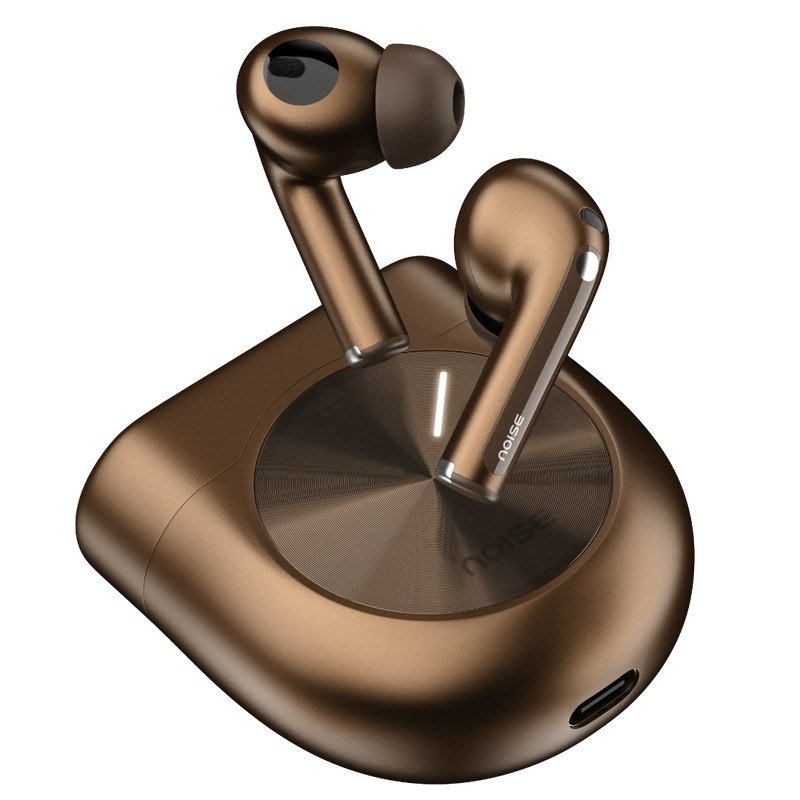
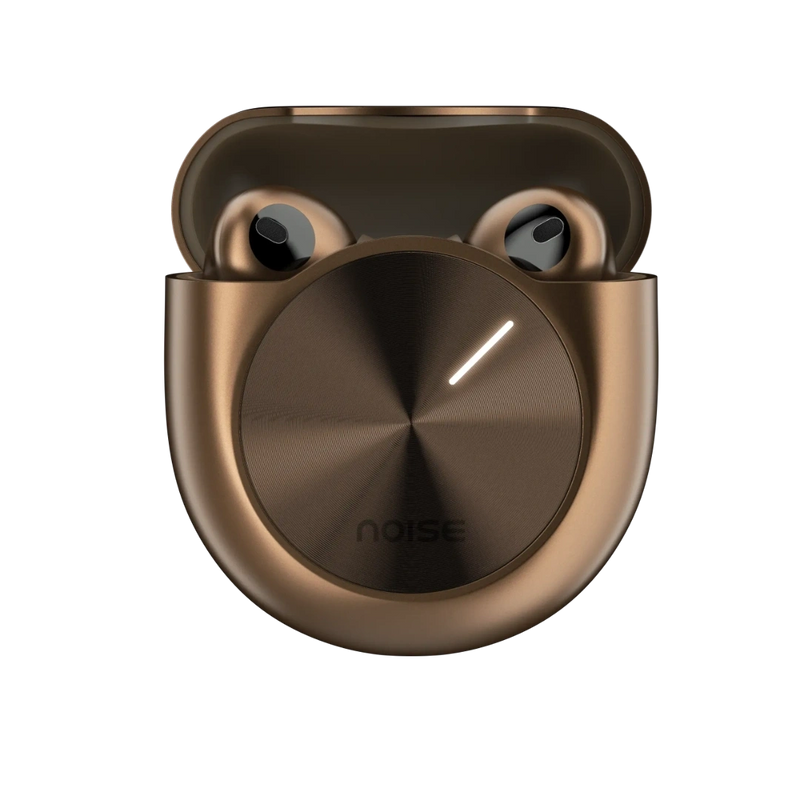
High-quality, expertly tuned audio with Sound by Bose brings you an unmatched sound experience. They showcase excellent aesthetics, merging form with function.
Customer Rating
4.88 out of 5.0 stars based on 16 reviews
Quick Specifications
| Playtime | Up to 44 hours |
|---|---|
| Charging Time | Up to 90 minutes |
| Fast Charging | Yes |
| BT | V5.3 |
| Wireless range | 10m |
| Auto pairing | Yes |
| Speaker driver | 12.4mm |
| Dual device pairing | Yes |
| Hands-free calling | Yes |
| Voice assistant | Siri, Google Assistant |
| Water resistance rating | IPX5 |
Specification
| Country of Origin | P.R.C. |
|---|---|
| Package Contents | 1 device, 1 charging cable, 1 user manual, warranty card |
| Marketed & Imported By | Nexxbase Marketing Pvt. Ltd.15th floor, DLF City Phase 5, Two Horizon Centre, Golf Course Road, Sector 43, Gurugram, Haryana - 122002 (INDIA) |
Physical Specification
| Weight | 48.4 grams |
|---|---|
| Dimensions | 5.6 x 5.4 x 2.5 cm |
| Water resistance rating | IPX5 |
| Speaker driver | 12.4mm |
Connectivity
| BT | v5.3 |
|---|---|
| Wireless range | 10m |
| Auto pairing | Yes, connects with the last paired device |
| BT supported profile | A2DP, AVRCP, HFP, SPP, AVDTP |
| Compatibility | Android & iOS |
Battery Charging
| Playtime | Up to 44 hours |
|---|---|
| Charging Time | Up to 90 mins |
| Fast Charging | Yes |
| Charging Port | C-type |
| Charging Indicator | Yes |
Additional Features
| Instacharge™ | 10 minutes of charge = 6 hours of playtime |
|---|---|
| Low latency | |
| Hands-free calling | Yes |
| Voice assistant | Siri, Google Assistant |
| Dual device pairing | Yes |
App Usage
| Touch controls | |
| ANC toggling | |
| Equaliser | |
| Find my Earbuds | |
| Software updates | |
| Compatible with | iOS & Android |
|---|---|
| Click here to download for iOS | |
| Click here to download for Android | |
FAQs
ABOUT THE PRODUCT
How do I control the earphones?
The control functions on the earphones are touch-enabled. Customise the controls through the Noise Audio App.
How is the calling quality?
Master Buds Limited Edition comes with 6-mic ENC which effectively cuts out disturbances during calls, ensuring your voice is carried clearly. Call quality does depend on a good network and the amount of disturbances in the surroundings.
Does it announce the caller's name or number on incoming calls?
No, it doesn’t announce the caller’s name or number.
Is Master Buds Limited Edition waterproof?
Master Buds Limited Edition come with an IPX5 rating which means that they are water-resistant. However, the earphones need to be completely dried before the next use.
Is noise cancellation available?
Yes, there is active noise cancellation, as well as environmental noise cancellation available during calls.
COMPATIBILITY
Is Master Buds Limited Edition compatible with iPhones?
Yes, it is compatible with iPhones.
Is Master Buds Limited Edition compatible with Android smartphones?
Yes, the earphones are compatible with Android smartphones.
Can Master Buds Limited Edition be connected to a laptop/computer?
Yes, they can be connected to the laptop/computer as long as it is equipped with BT connectivity.
Can Master Buds Limited Edition be connected to more than one device at a time?
Yes, Master Buds Limited Edition supports dual device pairing.
Do they support BT 4.0?
Master Buds Limited Edition is best suited with BT v5.3. However, they also support smartphones with BT v4.0.
What is the BT range of the phone?
The BT range is 10 meters without any obstacles.
Can I use Siri/Google Assistant?
Yes, you can use Siri & Google Assistant.
BATTERY AND CHARGING
What is the battery backup?
The battery backup of the earphones is up to 44 hours.
How much time does it take to charge?
Master Buds Limited Edition take up to 90 minutes to fully charge.
In case the earphones are not charging, what do I do?
If you are not able to charge your earphones, you can reach out to us at the following link - https://www.gonoise.com/pages/register-your-complaint
How do I check the Master Buds Limited Edition battery level?
You can check the battery level of your Master Buds Limited Edition on the home screen of the Noise Audio App.
Can I charge Master Buds Limited Edition with my PC/laptop?
Yes, you can charge the Master Buds Limited Edition with your PC/laptop.
Does Master Buds Limited Edition have a fast-charging provision?
Yes, it has fast charging.
GETTING STARTED
How do I turn the Master Buds Limited Edition on and off?
The earbuds will automatically turn on when you open the charging case and take the earbuds out and will automatically turn off once placed inside the charging case with the lid closed.
How do I pair Master Buds Limited Edition with my smartphone?
Before pairing, make sure that your Master Buds Limited Edition and mobile device are next to each other. Open the charging case lid and press the charging case button till the light starts blinking. Go to the BT menu on your phone. Search and select Noise Buds 1 to pair. Your Master Buds Limited Edition are now ready to use.
Note: The earbuds will automatically connect to the last paired devices.
Noise Audio APP
What’s the name of the app?
The name of the app is Noise Audio.
Is the Noise Audio App available on the App Store?
Yes, the Noise Audio App is available on the App Store.
Is the Noise Audio App available on the Play Store?
Yes, the Noise Audio App is available on the Play Store.
How do I pair my Master Buds Limited Edition to the app?
Before pairing with the app, make sure that your smartphone and Master Buds Limited Edition are connected together. Open the app and go to the Bluetooth device search page. Noise Buds 1 will appear on the screen. Click on the Connect option.
Note: It might take up to 15 seconds to establish connection between the buds and the app.
Can I control ANC through the app?
Yes, you can control ANC through the Noise Control feature. Toggle between ANC and Transparency modes or switch between Low, Medium or High ANC.
What actions can I customise through the app?
Through the Touch Gestures feature you can customise volume, music controls, ANC mode toggling, spatial audio and voice assistance.
Is the app compatible with all Noise products?
No, the app has been developed exclusively for Master Buds Limited Edition users.
Can I update my earbuds through the app?
Yes, you can update the Master Buds Limited Edition through the Noise Audio App.
Can I customise Equaliser levels?
Yes, click the Equaliser feature on the app to customise Bass, Mid and Treble levels. You can also select from 4 predetermined modes - Default, Jazz, Club and Rock or create your own with Custom.
Is in-ear detection available?
Yes, you can switch in-ear detection on or off in the Touch Gestures section of the app.
What do I do if I misplace an earbud?
Go to the settings section on the app and tap Find My Earbuds. Press play under the earbud side you have lost. It will trigger a sound that gradually gets louder.
TROUBLESHOOTING
Only one side is working, what do I do?
Please raise a support ticket at support.gonoise.com.
How do I reset Master Buds Limited Edition?
To reset your earbuds make sure they are fully charged. Delete/remove Noise Buds 1 from the list of paired devices in the BT menu. Insert both earbuds in the case, keep the lid open and long press the button on the case for 10 seconds.
WARRANTY REGISTRATION
Is there a warranty for this product?
Yes, there is a 1-year manufacturing warranty from the date of delivery of the product.
Where do I register for the product warranty?
Please follow the link to register for the warranty. https://www.gonoise.com/pages/warranty-registration
CONTACT US
Please reach us at 022-68056280 from Monday to Saturday, 9:30am to 5:30pm, or drop an email with your query at help@nexxbase.com. Our expert will assist you in resolving your query as soon as possible.
Is Master Buds Limited Edition compatible with iPhones?Yes, it is compatible with iPhones.Is Master Buds Limited Edition compatible with Android smartphones?Yes, the earphones are compatible with Android smartphones.Can Master Buds Limited Edition be connected to a laptop/computer?Yes, they can be connected to the laptop/computer as long as it is equipped with BT connectivity.Can Master Buds Limited Edition be connected to more than one device at a time?Yes, Master Buds Limited Edition supports dual device pairing.Do they support BT 4.0?Master Buds Limited Edition is best suited with BT v5.3. However, they also support smartphones with BT v4.0.What is the BT range of the phone?The BT range is 10 meters without any obstacles.Can I use Siri/Google Assistant?Yes, you can use Siri & Google Assistant.
,What is the battery backup?The battery backup of the earphones is up to 44 hours.How much time does it take to charge?Master Buds Limited Edition take up to 90 minutes to fully charge.In case the earphones are not charging, what do I do?If you are not able to charge your earphones, you can reach out to us at the following link - https://www.gonoise.com/pages/register-your-complaintHow do I check the Master Buds Limited Edition battery level?You can check the battery level of your Master Buds Limited Edition on the home screen of the Noise Audio App. Can I charge Master Buds Limited Edition with my PC/laptop?Yes, you can charge the Master Buds Limited Edition with your PC/laptop.Does Master Buds Limited Edition have a fast-charging provision?Yes, it has fast charging.
,How do I turn the Master Buds Limited Edition on and off?The earbuds will automatically turn on when you open the charging case and take the earbuds out and will automatically turn off once placed inside the charging case with the lid closed. How do I pair Master Buds Limited Edition with my smartphone?Before pairing, make sure that your Master Buds Limited Edition and mobile device are next to each other. Open the charging case lid and press the charging case button till the light starts blinking. Go to the BT menu on your phone. Search and select Noise Buds 1 to pair. Your Master Buds Limited Edition are now ready to use.Note: The earbuds will automatically connect to the last paired devices.
,What’s the name of the app?The name of the app is Noise Audio.Is the Noise Audio App available on the App Store?Yes, the Noise Audio App is available on the App Store.Is the Noise Audio App available on the Play Store?Yes, the Noise Audio App is available on the Play Store.How do I pair my Master Buds Limited Edition to the app?Before pairing with the app, make sure that your smartphone and Master Buds Limited Edition are connected together. Open the app and go to the Bluetooth device search page. Noise Buds 1 will appear on the screen. Click on the Connect option. Note: It might take up to 15 seconds to establish connection between the buds and the app.Can I control ANC through the app?Yes, you can control ANC through the Noise Control feature. Toggle between ANC and Transparency modes or switch between Low, Medium or High ANC. What actions can I customise through the app?Through the Touch Gestures feature you can customise volume, music controls, ANC mode toggling, spatial audio and voice assistance.Is the app compatible with all Noise products?No, the app has been developed exclusively for Master Buds Limited Edition users.Can I update my earbuds through the app?Yes, you can update the Master Buds Limited Edition through the Noise Audio App.Can I customise Equaliser levels? Yes, click the Equaliser feature on the app to customise Bass, Mid and Treble levels. You can also select from 4 predetermined modes - Default, Jazz, Club and Rock or create your own with Custom.Is in-ear detection available?Yes, you can switch in-ear detection on or off in the Touch Gestures section of the app.What do I do if I misplace an earbud?Go to the settings section on the app and tap Find My Earbuds. Press play under the earbud side you have lost. It will trigger a sound that gradually gets louder.
,Only one side is working, what do I do?Please raise a support ticket at support.gonoise.com.How do I reset Master Buds Limited Edition? To reset your earbuds make sure they are fully charged. Delete/remove Noise Buds 1 from the list of paired devices in the BT menu. Insert both earbuds in the case, keep the lid open and long press the button on the case for 10 seconds.
,Is there a warranty for this product?Yes, there is a 1-year manufacturing warranty from the date of delivery of the product.Where do I register for the product warranty?Please follow the link to register for the warranty. https://www.gonoise.com/pages/warranty-registration
,Please reach us at 022-68056280 from Monday to Saturday, 9:30am to 5:30pm, or drop an email with your query at help@nexxbase.com. Our expert will assist you in resolving your query as soon as possible.