Noise Air Buds Mini 2 - Truly Wireless Earbuds
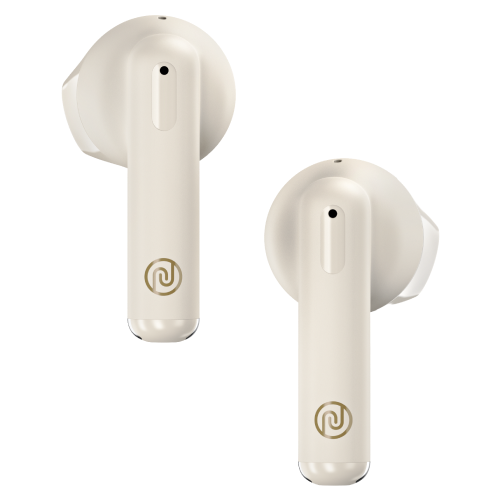

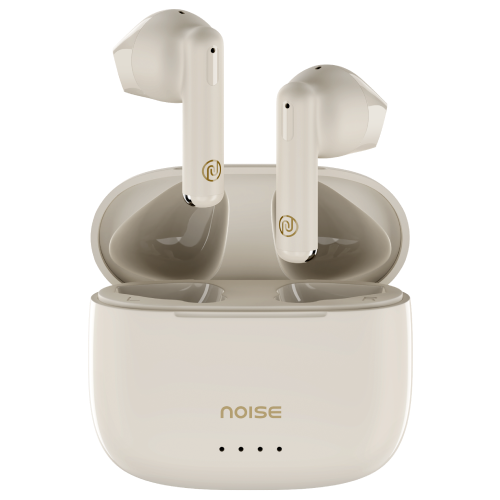
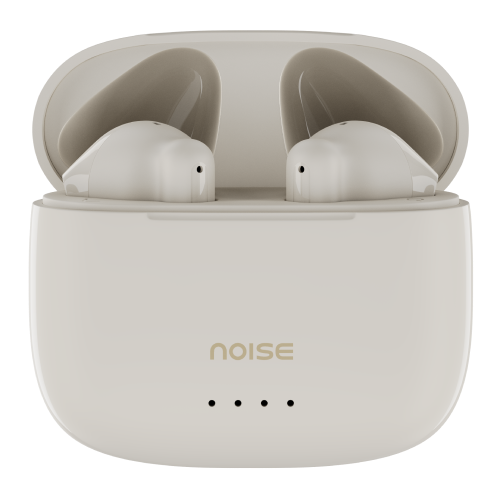


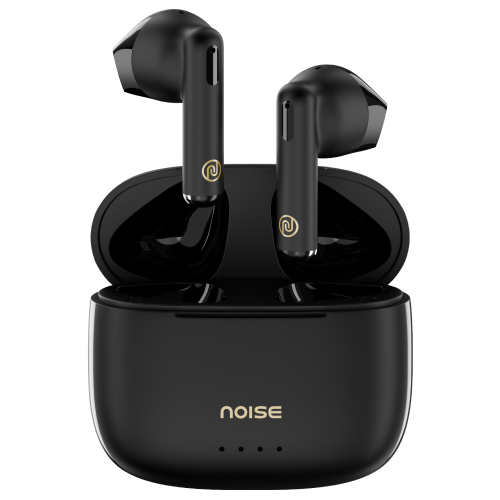
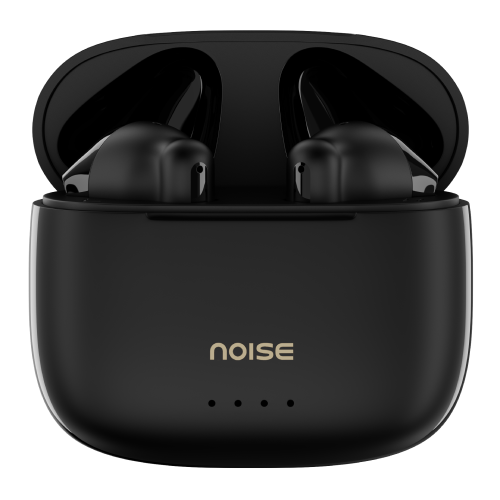

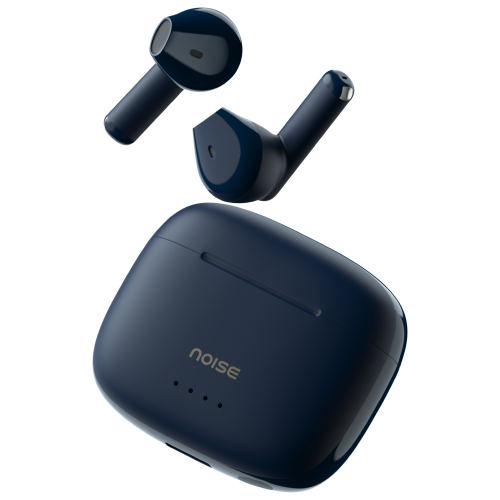
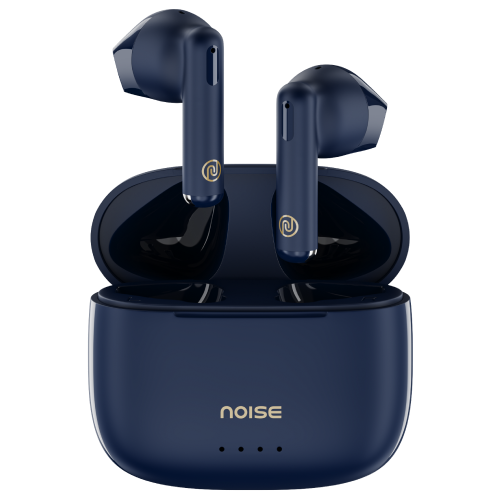


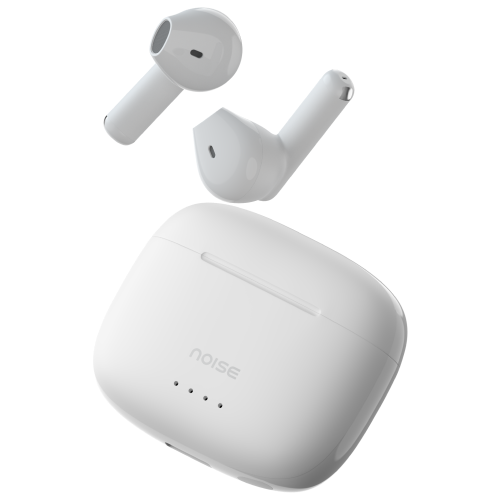
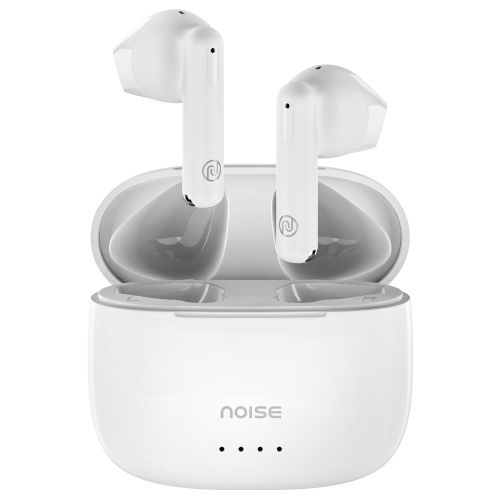
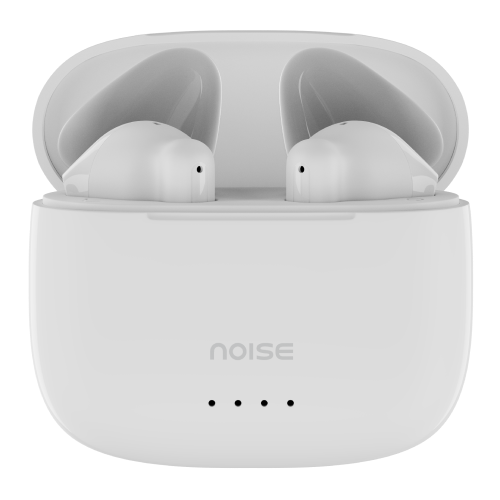
Meet Noise Air Buds Mini 2 with 45 hours of playtime, 13mm driver, 4 colour options, BT v5.3, quad mic with ENC, and a lot more. Buy now
Customer Rating
4.0 out of 5.0 stars based on 1 reviews
Specification
| Country of Origin | China |
|---|---|
| Package Contents | 1 device, 1 charging cable, 1 user manual, warranty card |
| Marketed & Imported By | Nexxbase Marketing Pvt. Ltd, Khasra No-146/25/2/1, Jail Road Badshahpur, Gurugram Haryana-122101 |
AUDIO
| Speaker Driver | |
| 13mm |
CONNECTIVITY
| BT | |
| 5.3 | |
| Wireless Range | |
| 10m | |
| BT Supported Profile | |
| A2DP, HFP, HSP, AVRCP | |
| Compatibility | |
| Android & iOS |
BATTERY CHARGING
| Playtime | |
| Normal mode | Up to 7 hours on a single charge and an additional 38 hours with the charging case |
|---|---|
| Earbud Charging Time | |
| Up to 90 minutes | |
| Charging Case Charge time | |
| Up to 90 minutes | |
| Charging Indicator | |
| Yes | |
PHYSICAL SPECIFICATION
| Earbuds Weight | |
| 3.2 grams | |
| Charging case dimension | |
| 5.2 x 4.8 x 2.5mm | |
| Charging case weight | |
| 40 grams | |
| Water Resistance Rating | |
| IPX5 water-resistant |
ADDITIONAL FEATURES
| Environmental Noise Cancellation | |
| Yes | |
| Gaming mode | |
| Up to 50ms | |
| Hands free Calling | |
| Yes | |
| Voice Assistant | |
| Siri, Google Assistant |
COMFORT
| Form Factor | |
| Half in-ear | |
| Controls | |
| On ear touch control (Gaming mode, Volume, Music, Call control feature on both earbuds, Siri and Google Assistant) |
FAQs
ABOUT THE PRODUCT
Can I use Air Buds Mini 2 as a single earbud while listening to music?
Yes, you can. Place one earbud inside the case and use the other one.
Do Air Buds Mini 2 have a touch feature to change tracks?
Yes, you can change tracks by tapping the earbuds. Triple tap the left earbud to go to the previous track. Triple tap the right earbud to go to the next track.
How is the calling?
Air Buds Mini 2 deliver a good call quality experience. It comes with Environmental noise cancellation with quad mic that ensures clearer communication.
During calls is the audio available in both ears?
Yes, Air Buds Mini 2 support stereo mode during calls and music.
Do Air Buds Mini 2 announce the caller's name or number on incoming calls?
No, it doesn’t.
What is the exact use of that case?
The case works as a charging and holding case for Air Buds Mini 2 on the go.
Are Air Buds Mini 2 earbuds waterproof?
Air Buds Mini 2 earbuds are IPX5 water-resistant. However, the buds need to be completely dried before placing them back in the case to maintain their long life.
What are the colour options?
Air Buds Mini 2 are available in 4 colours – Space blue, Snow white, Calm beige and Jet black.
COMPATIBILITY
Are Air Buds Mini 2 compatible with iPhones?
Yes, they are compatible with iPhones.
Are Air Buds Mini 2 compatible with Android smartphones?
Yes, they are compatible with Android smartphones.
Can Air Buds Mini 2 be connected to a laptop/computer?
Yes, Air Buds Mini 2 can be connected to the laptop/computer as long as the latter is equipped with BT connectivity provision.
Do they support BT 4.2?
They are best suited with BT v5.3. However, they support smartphones with BT v4.2 as well.
What is the BT range from the phone?
The BT range is up to 10 metres without any obstacle.
Can I use Siri/Google Assistant?
Yes, you can use Siri & Google Assistant.
BATTERY & CHARGING
What is the battery backup?
The battery backup of the earbuds is up to 7 hours on a single charge and backed with the charging case, they provide a total playtime of up to 45 hours.
How much time does it take to charge Air Buds Mini 2 ?
Air Buds Mini 2 take up to 1.5 hours to fully charge.
Can Air Buds Mini 2 be charged without putting them into the charging case?
No, they cannot be charged without the charging case.
What to do in case the charging case is not charging?
You can reach out to us at the following link: https://www.gonoise.com/pages/register-your-complaint
How do I check the Air Buds Mini 2 battery level?
You can check the battery level on your smartphone. Go to the notification bar and look at the BT icon. The battery level is mentioned under it. You can also check the battery level of the charging case on the case.
Can I charge Air Buds Mini 2 with my PC/laptop?
Yes, you can charge the earbuds with your PC/laptop. Though it is advisable to use the charging cable provided with the device.
GETTING STARTED
How to turn Air Buds Mini 2 on and off?
The earbuds will turn on automatically on opening the charging case and turn off by placing them inside the charging case.
How to pair Air Buds Mini 2 with your smartphone?
Make sure that the earbuds are charged. Open the charging case. Turn on the BT on your device and open the BT menu. Now select Add device and from the list of devices, select Noise Air Buds Mini 2.
TROUBLESHOOTING
Only one bud is working, what do I do?
Check if the non-working earbud is charged and connected to your device. Try to reset the earbuds and connect them, if they still don’t work, please raise a support ticket at support.gonoise.in.
How to reset Air Buds Mini 2 ?
On your paired devices, delete Noise Air Buds Mini 2 from the list of paired devices in the BT menu. Open the charging case. Long press the reset button on the charging case for 10 seconds. Close the charging case and repeat the pairing process.
Is a single earbud available if one of them goes missing?
No, single earbuds are not available.
WARRANTY REGISTRATION
Is there a warranty for this product?
Yes, there is a 1-year manufacturing warranty from the date of delivery of the product.
Where do I register for the product warranty?
Please follow the link to register for the warranty, https://www.gonoise.com/pages/warranty-registration
Are Air Buds Mini 2 compatible with iPhones?Yes, they are compatible with iPhones.Are Air Buds Mini 2 compatible with Android smartphones?Yes, they are compatible with Android smartphones.Can Air Buds Mini 2 be connected to a laptop/computer?Yes, Air Buds Mini 2 can be connected to the laptop/computer as long as the latter is equipped with BT connectivity provision.Do they support BT 4.2? They are best suited with BT v5.3. However, they support smartphones with BT v4.2 as well.What is the BT range from the phone?The BT range is up to 10 metres without any obstacle.Can I use Siri/Google Assistant? Yes, you can use Siri & Google Assistant.
,What is the battery backup?The battery backup of the earbuds is up to 7 hours on a single charge and backed with the charging case, they provide a total playtime of up to 45 hours.How much time does it take to charge Air Buds Mini 2 ?Air Buds Mini 2 take up to 1.5 hours to fully charge.Can Air Buds Mini 2 be charged without putting them into the charging case?No, they cannot be charged without the charging case.What to do in case the charging case is not charging?You can reach out to us at the following link: https://www.gonoise.com/pages/register-your-complaintHow do I check the Air Buds Mini 2 battery level?You can check the battery level on your smartphone. Go to the notification bar and look at the BT icon. The battery level is mentioned under it. You can also check the battery level of the charging case on the case.Can I charge Air Buds Mini 2 with my PC/laptop?Yes, you can charge the earbuds with your PC/laptop. Though it is advisable to use the charging cable provided with the device.
,How to turn Air Buds Mini 2 on and off?The earbuds will turn on automatically on opening the charging case and turn off by placing them inside the charging case.How to pair Air Buds Mini 2 with your smartphone?Make sure that the earbuds are charged. Open the charging case. Turn on the BT on your device and open the BT menu. Now select Add device and from the list of devices, select Noise Air Buds Mini 2.
,Only one bud is working, what do I do?Check if the non-working earbud is charged and connected to your device. Try to reset the earbuds and connect them, if they still don’t work, please raise a support ticket at support.gonoise.in.How to reset Air Buds Mini 2 ?On your paired devices, delete Noise Air Buds Mini 2 from the list of paired devices in the BT menu. Open the charging case. Long press the reset button on the charging case for 10 seconds. Close the charging case and repeat the pairing process. Is a single earbud available if one of them goes missing? No, single earbuds are not available.
,Is there a warranty for this product?Yes, there is a 1-year manufacturing warranty from the date of delivery of the product.Where do I register for the product warranty?Please follow the link to register for the warranty, https://www.gonoise.com/pages/warranty-registration